System |
Main Processor | One Intel Xeon E3-1275 V5, 3.6 GHz, 4C/8T |
Operating System | Linux OS |
Intelligence Analysis Card | 1 × intelligent analysis card |
Memory | 4 × 8 GB DDR4 memory, maximum 4 slots |
Disk | Includes a built-in SSD system disk, 2 × 6 TB 3.5-inch HDDs with up to 4 slots and 7.2K RPM SATA 6Gbps 512n 3.5 inches. |
Traffic Event Detection |
Multi-rules Application | Multiple rules can take effect at the same time. |
Setting of Detection Area and Exclusion Area | Supports detection zones and exclusion zones for the server. The server only triggers alarms for events that occur in the detection zone or outside the exclusion zone. |
Real-time Display | Displays the rules for the detection zone and the target tracking box in the live video. The rules and target tracking boxes flash on the screen when an alarm is triggered. |
Parking Detection | Detects when a vehicle moves and then stops for longer than the defined threshold.
1. Intelligent Configuration
• Alarm trigger time. Range: 1–600 sec, 10 sec by default.
• Maximum number of parked vehicles. Range: 1–128, 3 by default.
• Repeated alarm suppression. It can be enabled and disabled, and it is disabled by default.
• Detection priority: It can be enabled and disabled, and is disabled by default.
• Only takes snapshots of moving vehicles. It can be enabled and disabled, and it is enabled by default.
• Takes multiple snapshots. It can be enabled and disabled, and it is disabled by default.
• Motor vehicle attributes: Regular vehicles, police vehicles, and construction aid vehicles. They are all selected by default, but at least one of them must be chosen.
• Threshold for the length of time the target can disappear from the monitoring area and reappear, and still be considered the same target. Range: 1–65,535 sec, 20 sec by default.
2. Alarm Details
• Includes event type, alarm type, rule name, channels, alarm start time, alarm end time, plate number, alarm images, and alarm videos.
• Alarm images: 3 images, including 1 × parking image, 1 × image taken 1 second after the alarm, and 1 × image taken after the alarm ends.
3. Intelligent Frame
• Image overlay: Target ID, target box, and rule area.
• The alarm videos on the client include intelligent frames, while the alarm videos on the webpage do not include intelligent frames. |
Pedestrian Detection | Detects when a pedestrian walks onto the vehicle lane or into an area where pedestrians are prohibited from entering for longer than the defined threshold.
1. Intelligent Configuration
• Pedestrian alarms can be triggered based on the event and target. The default setting is alarm by event.
1.1 Alarm by Event
• The alarm trigger time for a pedestrian appearing. Range: 1–300 sec, 1 sec by default.
• The attributes are pedestrian, staff and traffic police. They are all selected by default, but at least one of them must be chosen.
• Limit for the target to disappear and reappear in the area, and still be considered the same target. Range: 1–65,535 sec, 10 sec by default.
• Sensitivity. Range: 1–10, 5 by default.
1.2 Alarm by Target
• The alarm trigger time for a pedestrian appearing. Range: 1–300 sec, 1 sec by default.
• The attributes are pedestrian, staff and traffic police. They are all selected by default, but at least one of them must be chosen.
2. Alarm Details
• Includes event type, alarm type, rule name, channels, alarm time, alarm images, and alarm videos.
• Alarm image: 1 image of the pedestrian.
• Intelligent frame: Target box, target ID, and rule area. |
Non-motor Vehicle Detection | Detects when non-motor vehicles drive into a restricted area, and remain there for longer than the defined threshold. Algorithms are used to configure parameters, and determine the detection range and optimal default values.
1. Intelligent Configuration
• Alarm trigger time. Range: 1–300 sec, 1 sec by default.
• The attributes are bicycle, motorcycle and police motorcycle. They are all selected by default, but at least one of them must be chosen.
2. Alarm Details
• Includes event type, alarm type, rule name, channels, alarm start time, alarm images, and alarm videos.
• Alarm images: 1 image of the non-motor vehicles.
3. Intelligence Frame
• Image overlay: Target box and rule area. At least one target box will appear.
• The alarm videos on the client include intelligent frames, while the alarm videos on the webpage do not include intelligent frames. |
Traffic Congestion Detection | Detects when a lane is congested for longer than the defined threshold. Supports reporting on traffic congestions based on the lane and area they occur in.
There are 3 alarm types: Heavy congestion, moderate congestion and light congestion.
Note: The alarm type is decided by the vehicle speed.
1. Intelligent Configuration
There are 2 types of congestion: Area congestion and lane congestion. It is area congestion by default.
1.1 Traffic Congestion in Area Settings:
• Alarm trigger time. Range: 1–300 sec, 10 sec by default.
• Repeated alarm suppression. Range: 1–3,600 sec, 600 sec by default.
• Sensitivity. Range: 1–10, 2 by default.
• Number of vehicles in traffic congestion: There is no set range for this, but the default number is 20.
1.2 Traffic Congestion in Lane Settings:
• Alarm trigger time. Range: 1–300 sec, 10 sec by default.
• Repeated alarm suppression. Range: 1–3,600 sec, 600 sec by default.
• Sensitivity. Range: 1–10, 2 by default.
• Line occupancy ratio. Range: 1–100, 50 by default.
• Discontinuation time threshold. Range: 1–255 sec, 1 sec by default.
• Congestion level: It is disabled by default. If you enable it, you can configure the speed range, vehicle threshold and queue length. The speed range includes 3 levels: heavy, moderate and light. Also, the congestion and sensitivity functions cannot be disabled at the same time. Sensitivity is enabled by default.
2. Alarm Details
• Includes event type, alarm type, rule name, channels, alarm start time, alarm end time, alarm images, alarm videos, and congestion levels such as heavily congested, moderately congested and slightly congested.
• Alarm images: 3 types of images, including 1 × traffic congestion image, alarm images taken in intervals and 1 × image of the end of the traffic congestion.
3. Intelligence Frame
• Alarm image overlay: The lane lines will be highlighted on alarm images when lane congestion occurs, as well as the lines marking the beginning and end of the vehicle queue. For area congestion, the designated rule area is highlighted.
• The alarm videos on the client include intelligent frames, while the alarm videos on the webpage do not include intelligent frames. |
Traffic Flow Statistics | Generates statistics on the number of vehicles passing through a road section within a specified time. For armed channels, it only supports one direction (for approaching and departing traffic) and not specifying a direction (which allows the vehicle direction be determined by the lane direction).
1. Intelligent Configuration
For armed channels, the available options are approaching traffic, departing traffic, and not specifying a direction. Only one of them can be enabled at a time.
1.1 Not Specifying a Direction
Parameters:
• Lane number: It is set as 1 by default, and the lane lines need to be configured in advance.
• Traffic flow statistics detection line: It has no specific direction.
1.2 Specified Direction (Approaching and Departing Traffic)
Approaching Traffic Parameters:
• No additional parameters required.
• Traffic flow statistics detection line: [A to B], with a directional arrow.
Departing Traffic Parameters:
• No additional parameters required.
• Traffic flow statistics detection line: [B to A], with a directional arrow.
2. Traffic Flow Calculation and Statistics Logic
2.1 Information on traffic flow continues to be accumulated from the last value when the device is restarted or an operator behaves abnormally.
2.2 Traffic flow data can be manually cleared, and requires second confirmation.
3. Traffic Flow Data
• Specified Direction: Lane number, traffic flow, small-sized vehicles, passenger vehicles, trucks, average speed, time occupancy ratio, space occupancy ratio, queue length, the distance between 2 vehicles, and the time between 2 vehicles passing the detection line, and the status of the traffic, which can be unknown, smooth or congested.
• Not specifying a direction: Approaching or departing traffic, traffic flow, passenger vehicles, trucks, average speed, and the status of the traffic, which can be unknown, smooth or congested. |
Dense Fog Detection | Detects when dense fog appears in the area for longer than the defined threshold.
1. Intelligent Configuration
• Alarm trigger time. Range: 1–300 sec, 60 sec by default.
• Repeated alarm suppression. Range: 1–65,535 sec. It is 1,800 sec by default.
• Alarm threshold. Range: 1–100, 90 by default.
• Sensitivity: 1–10, 3 by default.
• Threshold for the length of time the target can disappear from the monitoring area and reappear, and still be considered the same target. Range: 1–65,535 sec, 120 sec by default.
• Reports on events when the alarm starts, ends, and for the period it exists.
2. Alarm Details
• Includes event type, alarm type, rule name, channels, start time, the time the fog dissipates, the thickness of the fog, alarm images, and alarm videos.
• Alarm images: 3 types of images, including 1 × fog image, alarm images taken in intervals and 1 × image of the dissipation of the fog.
3. Intelligence Frame
• Image overlay: Target box, and rule area. At least one target box appears.
• The alarm videos on the client include intelligent frames, while the alarm videos on the webpage do not include intelligent frames. |
Road Debris Detection | Detects when an object is littered by a pedestrian or a person from a vehicle and the litter disturbs traffic for longer than the defined threshold.
1. Intelligent Configuration
• Alarm trigger time. Range: 1–300 sec, 6 sec by default.
• Repeated alarm suppression. Range: 0–3,600 sec, 0 sec by default.
• Sensitivity. Range: 1–10, 10 by default.
• Rule area.
• You can enable the false alarm experience database for littering. It is enabled by default.
2. Global Settings
• Detection area.
• Exclusion area.
• Filter by size, target type, and littering.
3. Alarm Details
• Includes event type, alarm type, rule name, channels, start time, alarm images, and alarm videos.
• Alarm image: 1 image of the littered object.
3. Intelligence Frame
• Image overlay: Target box and rule area. At least one target box will appear.
• The alarm videos on the client include intelligent frames, while the alarm videos on the webpage do not include intelligent frames. |
Intrusion | Detects when motor vehicles, non-motor vehicles, and pedestrians enter and remain in an area for longer than the defined threshold.
1. Intelligent Configuration
• Alarm trigger time. Range: 1–300 sec, 2 sec by default.
• Sensitivity: 1–10, 3 by default.
• The supported types of targets are pedestrians, motor vehicles and non-motor vehicles. Motor vehicle is selected by default.
• Repeated alarm suppression (Enable/Disable). It is enabled by default. Disable indicates the function is disabled, while Enable indicates it is enabled.
2. Alarm Details
• Includes event type, alarm type, rule name, channels, event time, event name, event type, license plate, alarm images, and alarm videos.
• Alarm image: 1 image of the vehicle intruding.
3. Intelligence Frame
• Image overlay: Target box, and rule area. At least one target box appears.
• The alarm videos on the client include intelligent frames, while the alarm videos on the webpage do not include intelligent frames. |
Lane Change | Detects when a vehicle crosses the solid yellow or white lane line for longer than the defined threshold.
1. Intelligent Configuration
• Lane number: You can select the lane number.
• Sensitivity. Range: 1–10, 10 by default.
2. Alarm Details
• Include event type, alarm type, rule name, channels, event time, lane number, plate number, alarm images and alarm videos.
• Alarm images: 2 images, including 1 × image of the vehicle changing lanes and 1 × image of the vehicle after it changed the lane.
3. Intelligence Frame
• Image overlay: Target box, and rule area. At least one target box appears.
• The alarm videos on the client include intelligent frames, while the alarm videos on the webpage do not include intelligent frames. |
Wrong-way Driving Detection | Detects when a vehicle is driving in the wrong direction for longer than the defined threshold. Supports reporting on the event based on the lane and area they occur in.
1. Intelligent Configuration
• The types of wrong-way driving are wrong way driving in a restricted area and in a lane.
1.1 Wrong way driving in a restricted area
• Alarm trigger time. Range: 1–300 sec, 2 sec by default.
• Driving distance. Range: 0–1,023 pixels, 200 pixels by default.
• Driving direction line. Range: 2 coordinate points have to be connected to form the driving direction.
• Attributes: Includes general vehicles, police vehicles and engineering rescue vehicles. All of these will be selected by default. You must select at least 1 option.
1.2 Wrong way driving in a lane
• Alarm trigger time. Range: 1–300 sec, 2 sec by default.
• Driving distance. Range: 0–1,023 pixels, 200 pixels by default.
• Lane number is set as 1 by default, which is related to the pre-configured lane.
• Attributes: Includes general vehicles, police vehicles and engineering rescue vehicles. All of these will be selected by default. You must select at least 1 option.
2. Alarm Details
• Include event type, alarm type, rule name, channels, event time, lane number, plate number, alarm images and alarm videos.
• Alarm images: 2 images, including 1 × image of the vehicle driving in the wrong direction and 1 × image taken 1 second after the alarm.
3. Intelligence Frame
• Image overlay: Target box, and rule area. At least one target box appears.
• The alarm videos on the client include intelligent frames, while the alarm videos on the webpage do not include intelligent frames. |
Illegal Backing Detection | Detects when a vehicle is illegally backing for longer than the defined threshold. For example, when a vehicle illegally revers on an intersection in an expressway.
1. Intelligent Configuration
• Alarm trigger time. Range: 1–300 sec, 2 sec by default.
• Driving distance. Range: 0–1,023. 200 by default.
• Driving direction line. Range: 2 coordinate points have to be connected to form the driving direction.
• Attributes: Includes general vehicles, police vehicles and engineering rescue vehicles. All of these will be selected by default. You must select at least 1 option.
2. Alarm Details
• Include event type, alarm type, rule name, channels, event time, lane number, plate number, alarm images and alarm videos.
• Alarm images: 2 images, including 1 × image of the vehicle illegally reversing and 1 × image taken 1 second after the alarm.
3. Intelligence Frame
• Image overlay: Target box, and rule area. At least one target box appears.
• The alarm videos on the client include intelligent frames, while the alarm videos on the webpage do not include intelligent frames. |
Construction Detection | Detects when construction signs are in the area for longer than the defined threshold.
1. Intelligent Configuration
• Alarm trigger time. Range: 1–300 sec, 5 sec by default.
• Repeated alarm suppression. Range: 1–65,535 sec. It is 1,800 sec by default.
• Sensitivity. Range: 1–10. 5 by default.
• Repeated alarm suppression. It can be enabled and disabled, and is disabled by default.
•Threshold for the length of time the target can disappear from the monitoring area and reappear, and still be considered the same target. Range: 1–65,535 sec, 600 sec by default.
• Reports on events when the alarm starts, ends, and for the period it exists.
• Construction attributes: Includes construction vehicle and construction worker. None of them are selected by default. If you select either one of them, an alarm will be triggered if either attribute is detected in the video. For example, if the video shows a construction vehicle but lacks cones or construction signs, a construction alarm will be reported.
2. Alarm Details
• Includes event type, alarm type, rule name, channels, start time, end time, alarm images, and alarm videos.
• Alarm images: 3 types of images, including 1 × image of the construction sign, alarm images taken in intervals, and 1 × image after the sign has been removed.
3. Intelligence Frame
• Image overlay: Target box, and rule area. At least one target box appears.
• The alarm videos on the client include intelligent frames, while the alarm videos on the webpage do not include intelligent frames. |
Roadblock Detection | Detects objects that act as obstacles, such as boxes, in the area for longer than the defined threshold. Algorithms are used to configure parameters, and determine the detection range and optimal default values.
1. Intelligent Configuration
• Alarm trigger time. Range: 1–300 sec, 5 sec by default.
• Repeated alarm suppression. Range: 1–65,535 sec, 600 sec by default.
• Sensitivity. Range: 1–10. 5 by default.
• Threshold for the length of time the target can disappear from the monitoring area and reappear, and still be considered the same target. Range: 1–65,535 sec, 600 sec by default.
• Reports on events when the alarm starts, ends, and for the period it exists.
2. Alarm Details
• Includes event type, alarm type, rule name, channels, start time, end time, alarm images, and alarm videos.
• Alarm images: 3 types of images, including 1 × image of the object acting as an obstacle, alarm images taken in intervals and 1 × image after the object has been removed.
3. Intelligence Frame
• Image overlay: Target box, and rule area. At least one target box appears.
• The alarm videos on the client include intelligent frames, while the alarm videos on the webpage do not include intelligent frames. |
Traffic Accident Detection | Detects traffic accidents in the detection area. Algorithms are used to configure parameters, and determine the detection range and optimal default values.
1. Intelligent Configuration
• Parking limit. Range: 1–300 sec, 50 sec by default.
• Alarm trigger time for pedestrian being in the area. Range: 1–300 sec, 3 sec by default.
• Maximum number of parked vehicles. Range: 1–300, 14 by default. If the number of parked vehicles exceeds 300, it will not be considered as an accident.
• Repeated alarm suppression. Range: 0–65,535 sec, 300 sec by default. 0 means the repeat alarm is not triggered.
• Accident type: Includes 1 Vehicle and Multiple Vehicles. Both are selected by default and cannot be modified.
2. Alarm Details
• Includes event type, alarm type, rule name, channels, start time, end time, alarm images, and alarm videos.
• Alarm images: 3 images, including 1 × image of the vehicle collision, 1 × image taken 1 second after the alarm, and 1 × image after the alarm ends.
3. Intelligence Frame
• Image overlay: Target box, and rule area. At least one target box appears.
• The alarm videos on the client include intelligent frames, while the alarm videos on the webpage do not include intelligent frames. |
Heat Detection | Detects when a fire breaks out in the area, and lasts longer than the defined threshold.
1. Intelligent Configuration
• Alarm trigger time. Range: 1–300 sec, 5 sec by default.
• Repeated alarm suppression. Range: 1–300 sec, 10 sec by default.
• Sensitivity. Range: 1–10. 5 by default.
• Alarms in intervals, which is disabled by default.
• Overlap threshold. Range: 0–100, 90 by default.
• Rule area.
• Without exclusion area.
2. Global Settings
• Size filter. Smoke and fire are supported as types of targets.
3. Alarm Details
• Includes event type, alarm type, rule name, channels, start time, alarm images, and alarm videos.
• Alarm images: 1 × alarm image.
3. Intelligence Frame
• Image overlay: Target box and rule area. At least one target box will appear.
• The alarm videos on the client include intelligent frames, while the alarm videos on the webpage do not include intelligent frames. |
Smoke Detection | Detects when smoke appears and remains in the area for longer than the defined threshold.
1. Intelligent Configuration
• Alarm trigger time. Range: 1–300 sec, 5 sec by default.
• Repeated alarm suppression. Range: 1–300 sec, 10 sec by default.
• Sensitivity. Range: 1–10. 5 by default.
• Alarms in intervals, which is disabled by default.
• Overlap threshold. Range: 0–100, 90 by default.
• Rule area.
• Without exclusion area.
2. Global Settings
• Size filter. Smoke and fire are supported as types of targets.
3. Alarm Details
• Includes event type, alarm type, rule name, channels, start time, alarm images, and alarm videos.
• Alarm images: 1 × alarm image.
3. Intelligence Frame
• Image overlay: Target box and rule area. At least one target box will appear.
• The alarm videos on the client include intelligent frames, while the alarm videos on the webpage do not include intelligent frames. |
Crossing Solid Line Detection | Detects when a vehicle crosses the solid yellow or white line for longer than the defined threshold.
1. Intelligent Configuration
• Alarm trigger time. Range: 0–300 sec, 1 sec by default.
• Sensitivity. Range: 1–10, 1 by default.
• Lane number: It does not have a range, and is 1 by default. The value to be entered depends on the pre-configuration of the lane.
• Takes snapshots when a vehicle crosses the solid white line. It can be enabled and disabled, and is disabled by default.
• Attributes: Includes general vehicles, police vehicles and engineering rescue vehicles. All of these will be selected by default. You must select at least 1 option.
2. Alarm Details
• Include event type, alarm type, rule name, channels, event time, lane number, plate number, alarm images and alarm videos.
• Alarm images: 2 images, including 1 × image of the vehicle crossing the solid line and 1 × image taken 1 second after the alarm.
3. Intelligence Frame
• Image overlay: Target box, rule area, lane line and target point. At least one target box appears.
• The alarm videos on the client include intelligent frames, while the alarm videos on the webpage do not include intelligent frames. |
Speeding Detection | Detects when the speed of a vehicle exceeds the defined threshold, and remains above the threshold for longer than the defined time. Algorithms are used to configure parameters, and determine the detection range and optimal default values.
1. Intelligent Configuration
• Alarm trigger time. Range: 1–10 sec, 1 sec by default.
• Lane number: It does not have a range, and is 1 by default. The value to be entered depends on the pre-configuration of the lane.
• Maximum speed. Range: 60 km/h–180 km/h. It is 120 km/h by default.
• Attributes: Includes general vehicles, police vehicles and engineering rescue vehicles. All of these will be selected by default. You must select at least 1 option.
2. Alarm Details
• Include event type, alarm type, rule name, channels, event time, lane number, plate number, maximum speed, driving speed, alarm images, and alarm videos.
• Alarm images:2 images, including 1 × vehicle speeding image and 1 × image taken 1 second after the alarm.
3. Intelligence Frame
• Image overlay: Target box, rule area and lane line. At least one target box appears.
• The alarm videos on the client include intelligent frames, while the alarm videos on the webpage do not include intelligent frames. |
Driving Too Slow Detection | Detects when the speed of a vehicle falls below the defined threshold, and remains below the threshold for longer than the defined time.
1. Intelligent Configuration
• Lane number: 1 by default.
• Alarm trigger time. Range: 1–10 sec, 1 sec by default.
• Minimum speed. Range: 30 km/h–120 km/h. It is 60 km/h by default.
• Attributes: Includes general vehicles, police vehicles and engineering rescue vehicles. All of these will be selected by default. You must select at least 1 option.
2. Alarm Details
• Include event type, alarm type, rule name, channels, event time, lane number, plate number, maximum speed, driving speed, alarm images, and alarm videos.
• Alarm images: 2 images, including 1 × image of the vehicle driving too slow and 1 × image taken 1 second after the alarm.
3. Intelligence Frame
• Image overlay: Target box, rule area and lane line. At least one target box appears.
• The alarm videos on the client include intelligent frames, while the alarm videos on the webpage do not include intelligent frames. |
Truck Entered Prohibited Area | Detects when a truck enters the detection zone.
1. Intelligent Configuration:
• Alarm trigger time. Range: 1–3,600 sec, 1 sec by default.
• Sensitivity: 1–10, 3 by default.
2. Alarm Details
• Include event type, alarm type, rule name, channels, event time, plate number, alarm images, and alarm videos.
• Alarm images: 1 × alarm image.
3. Intelligence Frame
• Image overlay: Target box, and rule area. At least one target box appears.
• The alarm videos on the client include intelligent frames, while the alarm videos on the webpage do not include intelligent frames. |
Hazardous Material Transport Vehicle Detection | Detects when a hazardous material transport vehicle crosses the detection line.
1. Intelligent Configuration
• The hazardous material transport vehicle is set as tank car by default.
2. Alarm Details
• Include event type, alarm type, rule name, channels, event time, plate number, alarm images, and alarm videos.
• Alarm images: 1 × alarm image for when the alarm is first triggered.
3. Intelligence Frame
• Image overlay: Target box, and rule area. At least one target box appears.
• The alarm videos on the client include intelligent frames, while the alarm videos on the webpage do not include intelligent frames. |
Driving in Emergency Lane | Detects when a vehicle enters the emergency lane.
1. Intelligent Configuration
• Alarm trigger time. Range: 1–3,600 sec, 1 sec by default.
• Sensitivity: 1–10, 3 by default.
• Attributes: Includes general vehicles, police vehicles and engineering rescue vehicles. All of these will be selected by default. You must select at least 1 option.
2. Alarm Details
• Include event type, alarm type, rule name, channels, event time, plate number, alarm images, and alarm videos.
• Alarm images: 1 × alarm image for when the alarm is first triggered.
3. Intelligence Frame
• Image overlay: Target box, and rule area. At least one target box appears.
• The alarm videos on the client include intelligent frames, while the alarm videos on the webpage do not include intelligent frames. |
Alarm Search | Supports real-time search by event type, start and end time, and alarm result diagnosis using combination criteria.
The options for the diagnosis of alarm results include: Untreated, true alarms, false alarms, repeated true alarms, repeated false alarms, and pending. Filter all the statuses in the experience database. Only one item can be selected at a time.
Supports selection of one or multiple channels: Information can be entered and you can use fuzzy search. All the channels can be selected on the device at once.
Channels can be expanded through the NVR device. You can also select one or multiple channels, or select all the channels at once.
Supports selecting one event type at a time, or all at once.
View event details and play recorded videos of events.
Export Excel tables and video recordings of events. |
Application of Traffic Event Detection |
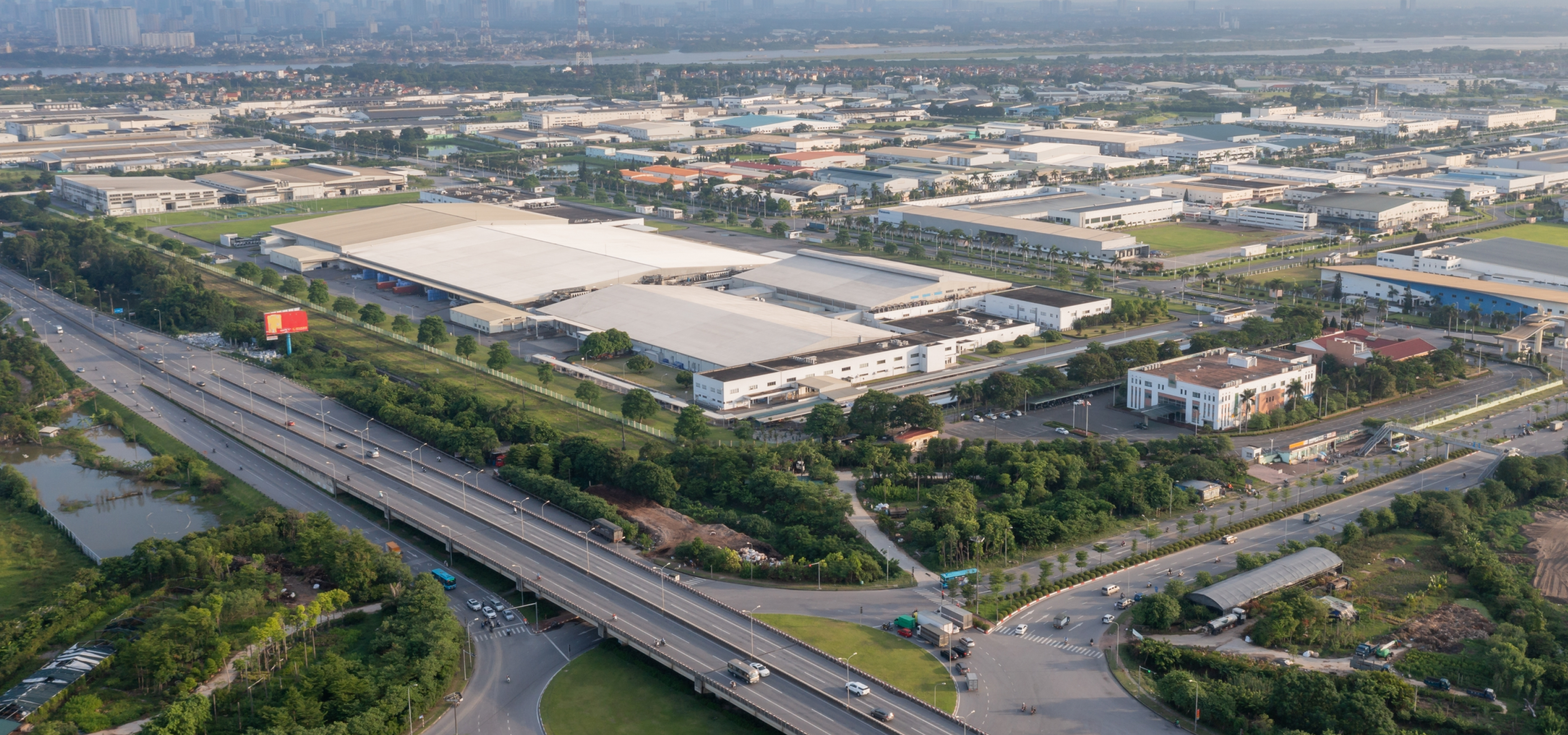
Scenario Type | Widely used in traffic management, road operations and for maintenance in locations such as expressways,viaducts, tunnels, and cross-sea bridges. |
Camera Installation Method | Front installation (recommended) and side installation |
Camera Installation Height | 6–12 meters recommended, two or three lanes can be captured |
Camera Installation Angle | Recommended pitch angle is between 10°–15°, covering about 50 m–100 m (164.04 ft–328.08 ft) and lane inclination angle < 30° when side-mounted |
Traffic Event Detection Performance |
Parking Detection | According to test data (2 MP access), the detection rate is 90%, and the effective rate is 90%. |
Pedestrian Detection | According to test data (2 MP access), the detection rate is 90%, and the effective rate is 90%. |
Non-motor Vehicle Detection | According to test data (2 MP access), the detection rate is 90%, and the effective rate is 90%. |
Traffic Congestion Detection | According to test data (2 MP access), the detection rate is 90%, and the effective rate is 90%. |
Traffic Flow Statistics | According to test data (2 MP access), the traffic accuracy rate is over 90%. |
Dense Fog Detection | Subject to actual test |
Road Debris Detection | According to test data (2 MP access), the detection rate is 80%, and the effective rate is 80%. |
Intrusion | According to test data (2 MP access), the detection rate is 90%, and the effective rate is 90%. |
Lane Change | According to test data (2 MP access), the detection rate is 90%, and the effective rate is 90%. |
Wrong-way Driving Detection | According to test data (2 MP access), the detection rate is 90%, and the effective rate is 90%. |
Illegal Backing Detection | According to test data (2 MP access), the detection rate is 90%, and the effective rate is 90%. |
Construction Detection | According to test data (2 MP access), the detection rate is 90%, and the effective rate is 80%. |
Roadblock Detection | According to test data (2 MP access), the detection rate is 90%, and the effective rate is 90%. |
Traffic Accident Detection | Subject to actual test |
Heat Detection | Subject to actual test |
Smoke Detection | Subject to actual test |
Crossing Solid Line Detection | According to test data (2 MP access), the detection rate is 90%, and the effective rate is 90%. |
Speeding Detection | Subject to actual test |
Driving Too Slow Detection | Subject to actual test |
Truck Entered Prohibited Area | Subject to actual test |
Hazardous Material Transport Vehicle Detection | Subject to actual test |
Driving in Emergency Lane | Subject to actual test |
Video Resolution | 2 MP or 4 MP |
Camera Access | Each intelligent analysis card supports analysis of 32 channels in 2 MP or 4 MP or 16 channels in 8 MP. 20 rules can be configured for each channel. You can configure detection for littering, smoke and heat for up to 16 of the 32 channels in 2 MP or 4 MP, or for 16 channels in 8 MP. |
Access Channel | 128 channels |
Network Bandwidth | Incoming bandwidth: 512 Mbps
Recording bandwidth: 256 Mbps
Outgoing bandwidth: 512 Mbps |
Multi-channel Playback | Supports playing videos for a maximum of 16 channels at the same time. |
Traffic Event Detection Type | Includes parking, pedestrian, non-motor vehicle, traffic congestion, traffic flow statistics, intrusion (vehicles), illegal lane change, wrong-way driving, illegal backing, construction, roadblock, traffic accident, dense fog, crossing solid line, overspeed, underspeed, truck entered prohibited area, hazardous material transport vehicle, vehicles drive in emergency lane, smoke, heat and road debris detection. |
Port |
Network Port | 4 × 1,000 Mbps Ethernet ports |
USB | 2 × front USB 3.0 ports and 2 × rear USB 3.0 ports |
VGA | 1 × VGA port |
Others | 1 × BMC management network port |
General |
Power Supply | 100–127/200–240 VAC, 50/60 Hz, 7/3.5 A |
Power Redundancy | Dual |
Power Consumption | ≤ 200 W (683 BTU/hr) (all HDDs connected, with 1 intelligent analysis cards) |
Operating Temperature | +10 °C to +35 °C (+50 °F to +95 °F) |
Operating Humidity | 8%–90% (RH), non-condensing |
Storage Temperature | –40 °C to +65 °C (–40 °F to +149 °F) |
Storage Humidity | 5%–95% (RH), non-condensing |
Gross Weight | 20.0 kg (44.09 lb) |
Net Weight | 15.3 kg (33.73 lb) |
Product Dimensions | 661.3 mm × 438.5 mm × 43.5 mm (26.04" × 17.26" × 1.71") (D × W × H) |
Packaging Dimensions | 271 mm × 625 mm × 895 mm (10.67" × 24.61" × 35.24") (H × W × D) |
Installation | Standard 19" rack installation with guide rail |
Certifications | CE LVD:DHQA-ESH-P21060953
CE EMC:DHQA-ESH-P21060950B |
Optional |
Product Type | All-in-one server integrated software and hardware |
















.png)




















.png)
.png)










.png)