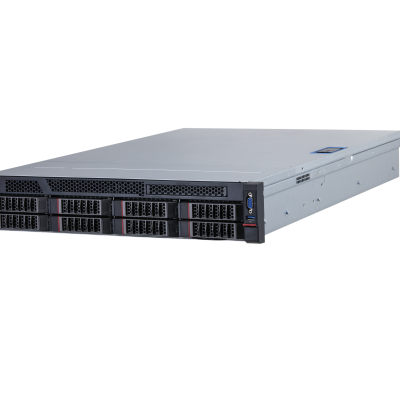
| Main Processor | 2 × 10 cores and 20 thread 86 processors, 2.2 GHz |
|---|---|
| Operating System | Linux OS |
| Intelligence Analysis Card | 3 × intelligent analysis cards |
| Memory | 4 × 16 GB DDR4 memory, maximum 16 slots |
| Disk | Includes a built-in SSD system disk, 2 × 4 TB 3.5-inch 4TB HDDs with up to 8 slots and 7.2K RPM SATA 6Gbps 512n 3.5 inches. |
| Multi-rules Application | Multiple rules can take effect at the same time. |
|---|---|
| Setting of Detection Area and Exclusion Area | Supports detection zones and exclusion zones for the server. The server only triggers alarms for events that occur in the detection zone or outside the exclusion zone. |
| Real-time Display | Displays the rules for the detection zone and the target tracking box in the live video. The rules and target tracking boxes flash on the screen when an alarm is triggered. |
| Parking Detection | Supports general model and large model. Detects when a vehicle moves and then stops for longer than the defined threshold. 1. Intelligent Configuration • Alarm trigger time. Range: 1–600 sec, 10 sec by default. • Maximum number of parked vehicles. Range: 1–128, 3 by default. • Repeated alarm suppression. It can be enabled and disabled, and it is disabled by default. • Detection priority: It can be enabled and disabled, and is disabled by default. • Only takes snapshots of moving vehicles. It can be enabled and disabled, and it is enabled by default. • Takes multiple snapshots. It can be enabled and disabled, and it is disabled by default. • Motor vehicle attributes: Regular vehicles, police vehicles, and construction aid vehicles. They are all selected by default, but at least one of them must be chosen. • Threshold for the length of time the target can disappear from the monitoring area and reappear, and still be considered the same target. Range: 1–65,535 sec, 20 sec by default. 2. Alarm Details • Includes event type, alarm type, rule name, channel, alarm start time, alarm end time, plate number, alarm images, and alarm videos. • Alarm images: 3 images, including 1 × parking image, 1 × image taken 1 second after the alarm, and 1 × image taken after the alarm ends. 3. Intelligent Frame • Image overlay: Target ID, target box, and rule area. • The alarm videos on the client include intelligent frames, while the alarm videos on the webpage do not include intelligent frames. |
| Pedestrian Detection | Supports general model and large model. Detects when a pedestrian walks onto the vehicle lane or into an area where pedestrians are prohibited from entering for longer than the defined threshold. 1. Intelligent Configuration • Pedestrian alarms can be triggered based on the event and target. The default setting is alarm by event. 1.1 Alarm by Event • The alarm trigger time for a pedestrian appearing. Range: 1–300 sec, 1 sec by default. • The attributes are pedestrian, staff and traffic police. They are all selected by default, but at least one of them must be chosen. • Limit for the target to disappear and reappear in the area, and still be considered the same target. Range: 1–65,535 sec, 10 sec by default. • Sensitivity. Range: 1–10, 5 by default. 1.2 Alarm by Target • The alarm trigger time for a pedestrian appearing. Range: 1–300 sec, 1 sec by default. • The attributes are pedestrian, staff and traffic police. They are all selected by default, but at least one of them must be chosen. 2. Alarm Details • Includes event type, rule name, alarm type, channels, alarm time, alarm images, and alarm videos. • Alarm image: 1 image of the pedestrian. • Intelligent frame: Target box, target ID, and rule area. |
| Non-motor Vehicle Detection | Supports general model and large model. Detects when non-motor vehicles drive into a restricted area, and remain there for longer than the defined threshold. Algorithms are used to configure parameters, and determine the detection range and optimal default values. 1. Intelligent Configuration • Alarm trigger time. Range: 1–300 sec, 1 sec by default. • The attributes are bicycle, motorcycle and police motorcycle. They are all selected by default, but at least one of them must be chosen. 2. Alarm Details • Includes event type, alarm type, rule name, channels, alarm start time, alarm images, and alarm videos. • Alarm images: 1 image of the non-motor vehicles. 3. Intelligence Frame • Image overlay: Target box and rule area. At least one target box will appear. • The alarm videos on the client include intelligent frames, while the alarm videos on the webpage do not include intelligent frames. |
| Traffic Congestion Detection | General Model Detects when a lane is congested for longer than the defined threshold. Supports reporting on traffic congestions based on the lane and area they occur in. There are 3 alarm types: Heavy congestion, moderate congestion and light congestion. Note: The alarm type is decided by the vehicle speed. 1. Intelligent Configuration There are 2 types of congestion: Area congestion and lane congestion. It is area congestion by default. 1.1 Traffic Congestion in Area Settings: • Alarm trigger time. Range: 1–300 sec, 10 sec by default. • Repeated alarm suppression. Range: 1–3,600 sec, 600 sec by default. • Sensitivity. Range: 1–10, 2 by default. • Number of vehicles in traffic congestion: There is no set range for this, but the default number is 20. 1.2 Traffic Congestion in Lane Settings: • Alarm trigger time. Range: 1–300 sec, 10 sec by default. • Repeated alarm suppression. Range: 1–3,600 sec, 600 sec by default. • Sensitivity. Range: 1–10, 2 by default. • Line occupancy ratio. Range: 1–100, 50 by default. • Discontinuation time threshold. Range: 1–255 sec, 1 sec by default. • Congestion level: It is disabled by default. If you enable it, you can configure the speed range, vehicle threshold and queue length. The speed range includes 3 levels: heavy, moderate and light. Also, the congestion and sensitivity functions cannot be disabled at the same time. Sensitivity is enabled by default. 2. Alarm Details • Includes event type, alarm type, rule name, channels, alarm start time, alarm end time, alarm images, alarm videos, and congestion levels such as heavily congested, moderately congested and slightly congested. • Alarm images: 3 types of images, including 1 × traffic congestion image, alarm images taken in intervals and 1 × image of the end of the traffic congestion. 3. Intelligence Frame • Alarm image overlay: The lane lines will be highlighted on alarm images when lane congestion occurs, as well as the lines marking the beginning and end of the vehicle queue. For area congestion, the designated rule area is highlighted. • The alarm videos on the client include intelligent frames, while the alarm videos on the webpage do not include intelligent frames. |
| Traffic Flow Statistics | General Model Generates statistics on the number of vehicles passing through a road section within a specified time. For armed channels, it only supports one direction (for approaching and departing traffic) and not specifying a direction (which allows the vehicle direction be determined by the lane direction). 1. Intelligent Configuration For armed channels, the available options are approaching traffic, departing traffic, and not specifying a direction. Only one of them can be enabled at a time. 1.1 Not Specifying a Direction Parameters: • Lane number: It is set as 1 by default, and the lane lines need to be configured in advance. • Traffic flow statistics detection line: It has no specific direction. 1.2 Specified Direction (Approaching and Departing Traffic) Approaching Traffic Parameters: • No additional parameters required. • Traffic flow statistics detection line: [A to B], with a directional arrow. Departing Traffic Parameters: • No additional parameters required. • Traffic flow statistics detection line: [B to A], with a directional arrow. 2. Traffic Flow Calculation and Statistics Logic 2.1 Information on traffic flow continues to be accumulated from the last value when the device is restarted or an operator behaves abnormally. 2.2 Traffic flow data can be manually cleared, and requires second confirmation. 3. Traffic Flow Data • Specified Direction: Lane number, traffic flow, small-sized vehicles, passenger vehicles, trucks, average speed, time occupancy ratio, space occupancy ratio, queue length, the distance between 2 vehicles, and the time between 2 vehicles passing the detection line, and the status of the traffic, which can be unknown, smooth or congested. • Not specifying a direction: Approaching or departing traffic, traffic flow, passenger vehicles, trucks, average speed, and the status of the traffic, which can be unknown, smooth or congested. |
| Dense Fog Detection | General Model Detects when dense fog appears in the area for longer than the defined threshold. 1. Intelligent Configuration • Alarm trigger time. Range: 1–300 sec, 60 sec by default. • Repeated alarm suppression. Range: 1–65,535 sec. It is 1,800 sec by default. • Alarm threshold. Range: 1–100, 90 by default. • Sensitivity: 1–10, 3 by default. • Threshold for the length of time the target can disappear from the monitoring area and reappear, and still be considered the same target. Range: 1–65,535 sec, 120 sec by default. • Reports on events when the alarm starts, ends, and for the period it exists. 2. Alarm Details • Includes event type, alarm type, rule name, channels, start time, the time the fog dissipates, the thickness of the fog, alarm images, and alarm videos. • Alarm images: 3 types of images, including 1 × fog image, alarm images taken in intervals and 1 × image of the dissipation of the fog. 3. Intelligence Frame • Image overlay: Target box, and rule area. At least one target box appears. • The alarm videos on the client include intelligent frames, while the alarm videos on the webpage do not include intelligent frames. |
| Road Debris Detection | Supports general model and large model. Detects when an object is littered by a pedestrian or a person from a vehicle and the litter disturbs traffic for longer than the defined threshold. 1. Intelligent Configuration • Alarm trigger time. Range: 1–300 sec, 6 sec by default. • Repeated alarm suppression. Range: 0–3,600 sec, 0 sec by default. • Sensitivity. Range: 1–10, 10 by default. • Rule area. • You can enable the false alarm experience database for littering. It is enabled by default. 2. Global Settings • Detection area. • Exclusion area. • Filter by size, target type, and littering. 3. Alarm Details • Includes event type, alarm type, rule name, channels, start time, alarm images, and alarm videos. • Alarm image: 1 image of the littered object. 3. Intelligence Frame • Image overlay: Target box and rule area. At least one target box will appear. • The alarm videos on the client include intelligent frames, while the alarm videos on the webpage do not include intelligent frames. |
| Intrusion | General Model Detects when motor vehicles, non-motor vehicles, and pedestrians enter and remain in an area for longer than the defined threshold. 1. Intelligent Configuration • Alarm trigger time. Range: 1–300 sec, 2 sec by default. • Sensitivity: 1–10, 3 by default. • The supported types of targets are pedestrians, motor vehicles and non-motor vehicles. Motor vehicle is selected by default. • Repeated alarm suppression (Enable/Disable). It is enabled by default. Disable indicates the function is disabled, while Enable indicates it is enabled. 2. Alarm Details • Includes event type, alarm type, rule name, channel, event time, event name, event type, license plate, alarm images, and alarm videos. • Alarm image: 1 image of the vehicle intruding. 3. Intelligence Frame • Image overlay: Target box, and rule area. At least one target box appears. • The alarm videos on the client include intelligent frames, while the alarm videos on the webpage do not include intelligent frames. |
| Lane Change | General Model Detects when a vehicle crosses the solid yellow or white lane line for longer than the defined threshold. 1. Intelligent Configuration • Lane number: You can select the lane number. • Sensitivity. Range: 1–10, 10 by default. 2. Alarm Details • Includes event type, alarm type, rule name, channels, event time, lane number, plate number, alarm images and alarm videos. • Alarm images: 2 images, including 1 × image of the vehicle changing lanes and 1 × image of the vehicle after it changed the lane. 3. Intelligence Frame • Image overlay: Target box, and rule area. At least one target box appears. • The alarm videos on the client include intelligent frames, while the alarm videos on the webpage do not include intelligent frames. |
| Wrong-way Driving Detection | General Model Detects when a vehicle is driving in the wrong direction for longer than the defined threshold. Supports reporting on the event based on the lane and area they occur in. 1. Intelligent Configuration • The types of wrong-way driving are wrong way driving in a restricted area and in a lane. 1) Wrong way driving in a restricted area • Alarm trigger time. Range: 1–300 sec, 2 sec by default. • Driving distance. Range: 0–1,023 pixels, 200 pixels by default. • Driving direction line. Range: 2 coordinate points have to be connected to form the driving direction. • Attributes: Includes general vehicles, police vehicles and engineering rescue vehicles. All of these will be selected by default. You must select at least 1 option. 2) Wrong way driving in a lane • Alarm trigger time. Range: 1–300 sec, 2 sec by default. • Driving distance. Range: 0–1,023 pixels, 200 pixels by default. • Lane number is set as 1 by default, which is related to the pre-configured lane. • Attributes: Includes general vehicles, police vehicles and engineering rescue vehicles. All of these will be selected by default. You must select at least 1 option. 2. Alarm Details • Includes event type, alarm type, rule name, channels, event time, lane number, plate number, alarm images and alarm videos. • Alarm images: 2 images, including 1 × image of the vehicle driving in the wrong direction and 1 × image taken 1 second after the alarm. 3. Intelligence Frame • Image overlay: Target box, and rule area. At least one target box appears. • The alarm videos on the client include intelligent frames, while the alarm videos on the webpage do not include intelligent frames. |
| Illegal Backing Detection | General Model Detects when a vehicle is illegally backing for longer than the defined threshold. For example, when a vehicle illegally revers on an intersection in an expressway. 1. Intelligent Configuration • Alarm trigger time. Range: 1–300 sec, 2 sec by default. • Driving distance. Range: 0–1,023. 200 by default. • Driving direction line. Range: 2 coordinate points have to be connected to form the driving direction. • Attributes: Includes general vehicles, police vehicles and engineering rescue vehicles. All of these will be selected by default. You must select at least 1 option. 2. Alarm Details • Includes event type, alarm type, rule name, channels, event time, lane number, plate number, alarm images and alarm videos. • Alarm images: 2 images, including 1 × image of the vehicle driving in the wrong direction and 1 × image taken 1 second after the alarm. 3. Intelligence Frame • Image overlay: Target box, and rule area. At least one target box appears. • The alarm videos on the client include intelligent frames, while the alarm videos on the webpage do not include intelligent frames. |
| Construction Detection | General Model Detects when construction signs are in the area for longer than the defined threshold. 1. Intelligent Configuration • Alarm trigger time. Range: 1–300 sec, 5 sec by default. • Repeated alarm suppression. Range: 1–65,535 sec. It is 1,800 sec by default. • Sensitivity. Range: 1–10. 5 by default. • Repeated alarm suppression. It can be enabled and disabled, and is disabled by default. •Threshold for the length of time the target can disappear from the monitoring area and reappear, and still be considered the same target. Range: 1–65,535 sec, 600 sec by default. • Reports on events when the alarm starts, ends, and for the period it exists. • Construction attributes: Includes construction vehicle and construction worker. None of them are selected by default. If you select either one of them, an alarm will be triggered if either attribute is detected in the video. For example, if the video shows a construction vehicle but lacks cones or construction signs, a construction alarm will be reported. 2. Alarm Details • Includes event type, alarm type, rule name, channels, start time, end time, alarm images, and alarm videos. • Alarm images: 3 types of images, including 1 × image of the construction sign, alarm images taken in intervals, and 1 × image after the sign has been removed. 3. Intelligence Frame • Image overlay: Target box, and rule area. At least one target box appears. • The alarm videos on the client include intelligent frames, while the alarm videos on the webpage do not include intelligent frames. |
| Roadblock Detection | General Model Detects objects that act as obstacles, such as boxes, in the area for longer than the defined threshold. Algorithms are used to configure parameters, and determine the detection range and optimal default values. 1. Intelligent Configuration • Alarm trigger time. Range: 1–300 sec, 5 sec by default. • Repeated alarm suppression. Range: 1–65,535 sec, 600 sec by default. • Sensitivity. Range: 1–10. 5 by default. • Threshold for the length of time the target can disappear from the monitoring area and reappear, and still be considered the same target. Range: 1–65,535 sec, 600 sec by default. • Reports on events when the alarm starts, ends, and for the period it exists. 2. Alarm Details • Includes event type, alarm type, rule name, channels, start time, time object was removed, alarm images, and alarm videos. • Alarm images: 3 types of images, including 1 × image of the object acting as an obstacle, alarm images taken in intervals and 1 × image after the object has been removed. 3. Intelligence Frame • Image overlay: Target box, and rule area. At least one target box appears. • The alarm videos on the client include intelligent frames, while the alarm videos on the webpage do not include intelligent frames. |
| Traffic Accident Detection | Supports general model and large model. Detects traffic accidents in the detection area. Algorithms are used to configure parameters, and determine the detection range and optimal default values. 1. Intelligent Configuration • Parking limit. Range: 1–300 sec, 50 sec by default. • Alarm trigger time for pedestrian being in the area. Range: 1–300 sec, 3 sec by default. • Maximum number of parked vehicles. Range: 1–300, 14 by default. If the number of parked vehicles exceeds 300, it will not be considered as an accident. • Repeated alarm suppression. Range: 0–65,535 sec, 300 sec by default. 0 means the repeat alarm is not triggered. • Accident type: Includes 1 Vehicle and Multiple Vehicles. Both are selected by default and cannot be modified. 2. Alarm Details • Includes event type, alarm type, rule name, channel, start time, end time, alarm images, and alarm videos. • Alarm images: 3 images, including 1 × image of the vehicle collision, 1 × image taken 1 second after the alarm, and 1 × image after the alarm ends. 3. Intelligence Frame • Image overlay: Target box, and rule area. At least one target box appears. • The alarm videos on the client include intelligent frames, while the alarm videos on the webpage do not include intelligent frames. |
| Heat Detection | General Model Detects when a fire breaks out in the area, and lasts longer than the defined threshold. 1. Intelligent Configuration • Alarm trigger time. Range: 1–300 sec, 5 sec by default. • Repeated alarm suppression. Range: 1–300 sec, 10 sec by default. • Sensitivity. Range: 1–10. 5 by default. • Alarms in intervals, which is disabled by default. • Overlap threshold. Range: 0–100, 90 by default. • Rule area. • Without exclusion area. 2. Global Settings • Size filter. Smoke and fire are supported as types of targets. 3. Alarm Details • Includes event type, alarm type, rule name, channels, start time, alarm images, and alarm videos. 2) Alarm images: 1 × alarm image. 3. Intelligence Frame • Image overlay: Target box and rule area. At least one target box will appear. • The alarm videos on the client include intelligent frames, while the alarm videos on the webpage do not include intelligent frames. |
| Smoke Detection | General Model Detects when smoke appears and remains in the area for longer than the defined threshold. 1. Intelligent Configuration • Alarm trigger time. Range: 1–300 sec, 5 sec by default. • Repeated alarm suppression. Range: 1–300 sec, 10 sec by default. • Sensitivity. Range: 1–10. 5 by default. • Alarms in intervals, which is disabled by default. • Overlap threshold. Range: 0–100, 90 by default. • Rule area. • Without exclusion area. 2. Global Settings • Size filter. Smoke and fire are supported as types of targets. 3. Alarm Details • Includes event type, alarm type, rule name, channels, start time, alarm images, and alarm videos. 2) Alarm images: 1 × alarm image. 3. Intelligence Frame • Image overlay: Target box and rule area. At least one target box will appear. • The alarm videos on the client include intelligent frames, while the alarm videos on the webpage do not include intelligent frames. |
| Crossing Solid Line Detection | General Model Detects when a vehicle crosses the solid yellow or white line for longer than the defined threshold. 1. Intelligent Configuration • Alarm trigger time. Range: 0–300 sec, 1 sec by default. • Sensitivity. Range: 1–10, 1 by default. • Lane number: It does not have a range, and is 1 by default. The value to be entered depends on the pre-configuration of the lane. • Takes snapshots when a vehicle crosses the solid white line. It can be enabled and disabled, and is disabled by default. • Attributes: Includes general vehicles, police vehicles and engineering rescue vehicles. All of these will be selected by default. You must select at least 1 option. 2. Alarm Details • Includes event type, alarm type, rule name, channels, event time, lane number, plate number, alarm images and alarm videos. • Alarm images: 2 images, including 1 × image of the vehicle driving in the wrong direction and 1 × image taken 1 second after the alarm. 3. Intelligence Frame • Image overlay: Target box, rule area, lane line and target point. At least one target box appears. • The alarm videos on the client include intelligent frames, while the alarm videos on the webpage do not include intelligent frames. |
| Speeding Detection | General Model Detects when the speed of a vehicle exceeds the defined threshold, and remains above the threshold for longer than the defined time. Algorithms are used to configure parameters, and determine the detection range and optimal default values. 1. Intelligent Configuration • Alarm trigger time. Range: 1–10 sec, 1 sec by default. • Lane number: It does not have a range, and is 1 by default. The value to be entered depends on the pre-configuration of the lane. • Maximum speed. Range: 60 km/h–180 km/h. It is 120 km/h by default. • Attributes: Includes general vehicles, police vehicles and engineering rescue vehicles. All of these will be selected by default. You must select at least 1 option. 2. Alarm Details • Includes event type, alarm type, rule name, channels, event time, lane number, plate number, maximum speed, driving speed, alarm images, and alarm videos. • Alarm images: 2 images, including 1 × image of the vehicle driving in the wrong direction and 1 × image taken 1 second after the alarm. 3. Intelligence Frame • Image overlay: Target box, rule area and lane line. At least one target box appears. • The alarm videos on the client include intelligent frames, while the alarm videos on the webpage do not include intelligent frames. |
| Driving Too Slow Detection | General Model Detects when the speed of a vehicle falls below the defined threshold, and remains below the threshold for longer than the defined time. 1. Intelligent Configuration • Lane number: It consists of numbers. • Alarm trigger time. Range: 1–10 sec, 1 sec by default. • Minimum speed. Range: 30 km/h–120 km/h. It is 60 km/h by default. • Attributes: Includes general vehicles, police vehicles and engineering rescue vehicles. All of these will be selected by default. You must select at least 1 option. 2. Alarm Details • Includes event type, alarm type, rule name, channels, event time, lane number, plate number, maximum speed, driving speed, alarm images, and alarm videos. • Alarm images: 2 images, including 1 × image of the vehicle driving in the wrong direction and 1 × image taken 1 second after the alarm. 3. Intelligence Frame • Image overlay: Target box, rule area and lane line. At least one target box appears. • The alarm videos on the client include intelligent frames, while the alarm videos on the webpage do not include intelligent frames. |
| Truck Entered Prohibited Area | General Model Detects when a truck enters the detection zone. 1. Intelligent Configuration: • Alarm trigger time. Range: 1–3,600 sec, 1 sec by default. • Sensitivity: 1–10, 3 by default. 2. Alarm Details • Includes event type, alarm type, rule name, channels, event time, plate number, alarm images, and alarm videos. 2) Alarm images: 1 × alarm image. 3. Intelligence Frame • Image overlay: Target box, and rule area. At least one target box appears. • The alarm videos on the client include intelligent frames, while the alarm videos on the webpage do not include intelligent frames. |
| Hazardous Material Transport Vehicle Detection | General Model Detects when a hazardous material transport vehicle crosses the detection line. 1. Intelligent Configuration • The hazardous material transport vehicle is set as tank car by default. 2. Alarm Details • Includes event type, alarm type, rule name, channels, event time, plate number, alarm images, and alarm videos. • Alarm images: 1 × alarm image for when the alarm is first triggered. 3. Intelligence Frame • Image overlay: Target box, and rule area. At least one target box appears. • The alarm videos on the client include intelligent frames, while the alarm videos on the webpage do not include intelligent frames. |
| Driving in Emergency Lane | General Model Detects when a vehicle enters the emergency lane. 1. Intelligent Configuration • Alarm trigger time. Range: 1–3,600 sec, 1 sec by default. • Sensitivity: 1–10, 3 by default. • Attributes: Includes general vehicles, police vehicles and engineering rescue vehicles. All of these will be selected by default. You must select at least 1 option. 2. Alarm Details • Includes event type, alarm type, rule name, channels, event time, plate number, alarm images, and alarm videos. • Alarm images: 1 × alarm image for when the alarm is first triggered. 3. Intelligence Frame • Image overlay: Target box, and rule area. At least one target box appears. • The alarm videos on the client include intelligent frames, while the alarm videos on the webpage do not include intelligent frames. |
| Alarm Search | Supports real-time search by event type, start and end time, and alarm result diagnosis using combination criteria. The options for the diagnosis of alarm results include: Untreated, true alarms, false alarms, repeated true alarms, repeated false alarms, and pending. Filter all the statuses in the experience database. Only one item can be selected at a time. Supports selection of one or multiple channels: Information can be entered and you can use fuzzy search. All the channels can be selected on the device at once. Channels can be expanded through the device. Alarm type includes General Model Alarm, Large Model Alarm, Real Alarm from Secondary Analysis, and False Alarm from Secondary Analysis. You can enable multiple types together. You can also select one or multiple channels, or select all the channels at once. Supports selecting one event type at a time, or all at once. View event details and play recorded videos of events. Export Excel tables and video recordings of events. |
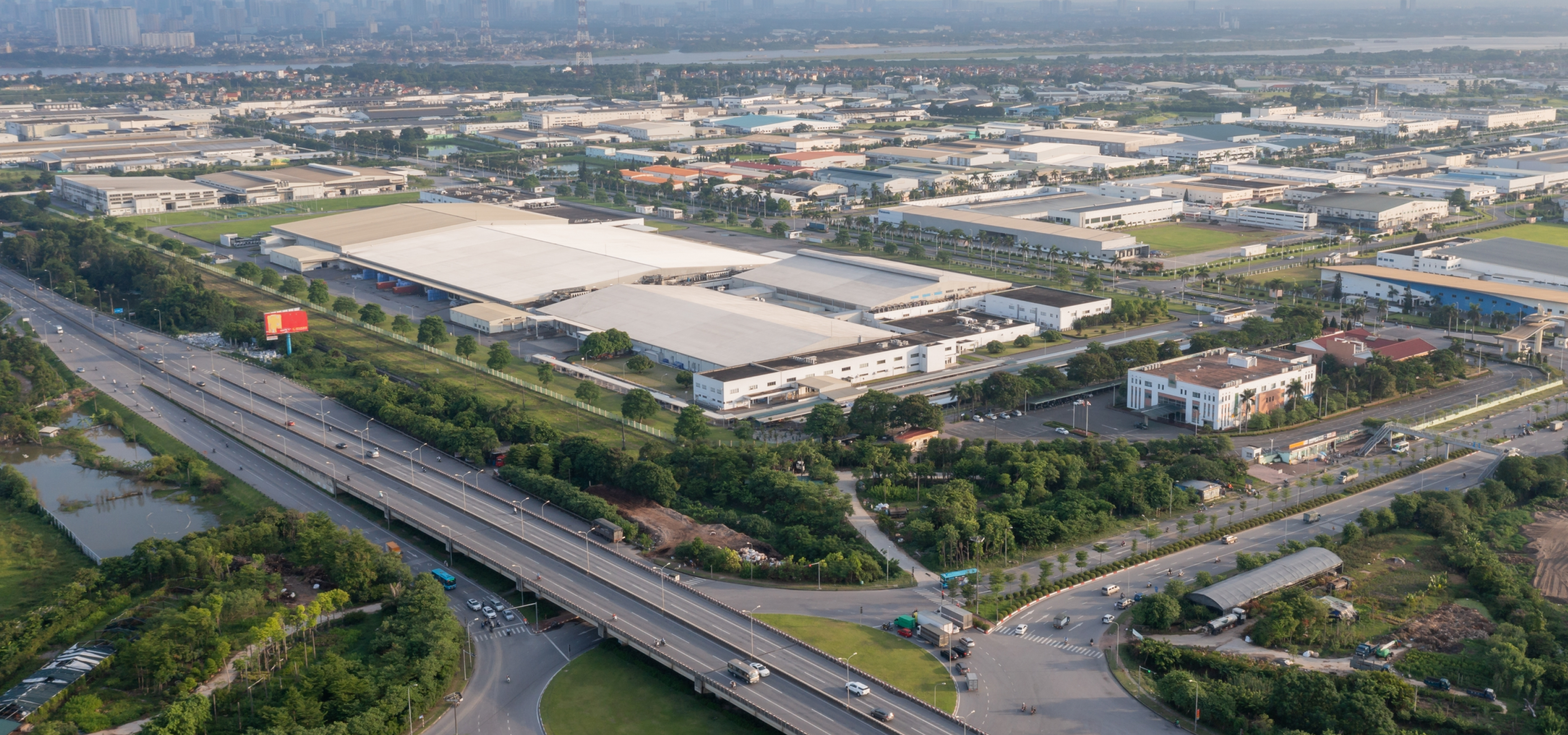
| Scenario Type | Widely used in traffic management, road operations and for maintenance in locations such as expressways,viaducts, tunnels, and cross-sea bridges. |
|---|---|
| Camera Installation Method | Front installation (recommended) and side installation |
| Camera Installation Height | 6–12 meters recommended, two or three lanes can be captured |
| Camera Installation Angle | Recommended pitch angle is between 10°–15°, covering about 50 m–100 m (164.04 ft–328.08 ft) and lane inclination angle < 30° when side-mounted |
| Parking Detection | Large model: According to test data (2 MP access), the detection rate is 95%, and the effective rate is 95%. General model: According to test data (2 MP access), the detection rate is 90%, and the effective rate is 90%. |
|---|---|
| Pedestrian Detection | Large model: According to test data (2 MP access), the detection rate is 95%, and the effective rate is 95%. General model: According to test data (2 MP access), the detection rate is 90%, and the effective rate is 90%. |
| Non-motor Vehicle Detection | Large model: According to test data (2 MP access), the detection rate is 95%, and the effective rate is 95%. General model: According to test data (2 MP access), the detection rate is 90%, and the effective rate is 90%. |
| Traffic Congestion Detection | General model: According to test data (2 MP access), the detection rate is 90%, and the effective rate is 90%. |
| Traffic Flow Statistics | General model: According to test data (2 MP access), the traffic accuracy rate is over 90%. |
| Dense Fog Detection | General model: Subject to actual testing. |
| Road Debris Detection | Large model: According to test data (2 MP access), the detection rate is 90%, and the effective rate is 90%. General model: According to test data (2 MP access), the detection rate is 80%, and the effective rate is 80%. |
| Intrusion | General model: According to test data (2 MP access), the detection rate is 90%, and the effective rate is 90%. |
| Lane Change | General model: According to test data (2 MP access), the detection rate is 90%, and the effective rate is 90%. |
| Wrong-way Driving Detection | General model: According to test data (2 MP access), the detection rate is 90%, and the effective rate is 90%. |
| Illegal Backing Detection | General model: According to test data (2 MP access), the detection rate is 90%, and the effective rate is 90%. |
| Construction Detection | General model: According to test data (2 MP access), the detection rate is 90%, and the effective rate is 80%. |
| Roadblock Detection | General model: According to test data (2 MP access), the detection rate is 90%, and the effective rate is 90%. |
| Traffic Accident Detection | Large model: Subject to actual testing. General model: Subject to actual testing. |
| Heat Detection | General model: Subject to actual testing. |
| Smoke Detection | General model: Subject to actual testing. |
| Crossing Solid Line Detection | General model: According to test data (2 MP access), the detection rate is 90%, and the effective rate is 90%. |
| Speeding Detection | General model: Subject to actual testing. |
| Driving Too Slow Detection | General model: Subject to actual testing. |
| Truck Entered Prohibited Area | General model: Subject to actual testing. |
| Hazardous Material Transport Vehicle Detection | General model: Subject to actual testing. |
| Driving in Emergency Lane | General model: Subject to actual testing. |
| Video Resolution | 2 MP or 4 MP |
| Camera Access | General model: Each intelligent analysis card supports analysis of 32 channels in 2 MP or 4 MP or 16 channels in 8 MP. 20 rules can be configured for each channel. You can configure detection of littering, smoke and heat for up to 16 channels out of the 32 channels. Large model: Each intelligent analysis card supports analysis of 2 channels in 2 MP, 4 MP or 8 MP. Secondary analysis: Each intelligent analysis can analyze the alarms from up to 2 channels. |
| Access Channel | 256 channels |
| Network Bandwidth | Incoming bandwidth: 1024 Mbps Recording bandwidth: 512 Mbps Outgoing bandwidth: 1024 Mbps |
| Multi-channel Playback | Supports playing videos for a maximum of 16 channels at the same time. |
| Traffic Event Detection Type | 1. General model: Includes parking, pedestrian, non-motor vehicle, traffic congestion, traffic flow statistics, intrusion (vehicles), illegal lane change, wrong-way driving, illegal backing, construction, roadblock, traffic accident, dense fog, crossing solid line, speeding, driving too slow, truck entered prohibited area, hazardous material transport vehicle, vehicles drive in emergency lane, smoke, heat and road debris detection. 2. Large model: Includes road debris detection, traffic accident detection, pedestrian detection, non-motor vehicle detection and parking detection. 3. Secondary analysis: Includes road debris detection and traffic accident detection. |
| Network Port | 2 × 1,000 Mbps gigabit Ethernet ports |
|---|---|
| USB | 2 front USB 3.0 ports and 2 rear USB 3.0 ports |
| VGA | 2× VGA ports |
| Others | 1 × BMC management network port |
| Power Supply | 100–127/200–240 VAC, 50/60 Hz, 10/5 A |
|---|---|
| Power Redundancy | Dual |
| Power Consumption | 240 W (without HDD, idling) 390 W (all HDDs connected, with 3 intelligent analysis card) |
| Operating Temperature | +10 °C to +35 °C (+50 °F to +95 °F) |
| Operating Humidity | 8%–90% (RH), non-condensing |
| Storage Temperature | –40 °C to +65 °C (–40 °F to +149 °F) |
| Storage Humidity | 5%–95% (RH), non-condensing |
| Gross Weight | 32.0 kg (70.4 lb) |
| Net Weight | 24.3 kg (53.46 lb) |
| Product Dimensions | 735 mm × 438 mm × 87 mm (28.93" × 17.25" × 3.42") (D × W × H) |
| Packaging Dimensions | 1069 mm × 754 mm × 273 mm (42.08" × 29.68" × 10.74") (D × W × H) |
| Installation | Standard 19" rack installation with guide rail |
| Certifications | CE LVD:KSES210600030001ATC CE EMC:SHEM2106006297ATC |
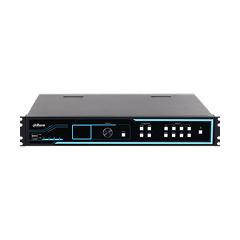
| Product Type | All-in-one server integrated software and hardware |
|---|
1. INLEIDING
BELANGRIJKE KENNISGEVING; LEES DIT ZORGVULDIG DOOR:
1.1 Deze overeenkomst is een software licentieovereenkomst tussen u en Zhejiang Dahua Technology Co., Ltd. (hierna 'Dahua' te noemen). Lees deze software licentieovereenkomst (overeenkomst) zorgvuldig door voordat u de software gebruikt. Door Dahua-software te gebruiken, wordt u geacht ermee in te stemmen dat u gebonden bent aan de voorwaarden van deze overeenkomst. Indien u niet instemt met de voorwaarden van deze overeenkomst, installeer of gebruik de software dan niet en klik op de knop 'oneens' (als er een voorziening is voor 'eens' of 'oneens'). Wanneer de software onderdeel is van een Dahua-apparaat dat u aanschaft en u stemt niet in met de voorwaarden van deze overeenkomst, dan mag u dit apparaat/deze software binnen de retourperiode retourneren aan Dahua, of de bevoegde distributeur van wie u dit hebt aangeschaft. U heeft recht op een terugbetaling welke is onderworpen aan het retourbeleid van Dahua.
2. DEFINITIES
'Software' verwijst naar informatieverwerkende programma's of ondersteunende bestanden die bestaan uit een aantal modules of functies. Ondersteunende bestanden omvatten de gehele of gedeeltelijke broncodes, objectcodes van de software en de afbeeldingen, foto's, pictogrammen, animaties, audio, video, muziek, woorden en codes die hierin zijn opgenomen. Deze bevatten ook alle relevante gedrukte of elektronische informatie en technische documentatie die een beschrijving geven van de functies, eigenschappen, inhoud, kwaliteit, testen, handleidingen voor klanten, gebruiksovereenkomsten enz. (hierna 'softwareproducten' of 'software' te noemen).
'U' verwijst naar een natuurlijke persoon of rechtspersoon die het recht heeft verworven om de software onder de licentie van Dahua te gebruiken. Rechtspersonen omvatten bedrijven, ondernemingen, instellingen, organisaties of bedrijfseenheden.
'Proefperiode' verwijst naar een specifieke periode voorafgaand aan de officiële registratie waarbinnen Dahua het interne gebruik van gebruikers voor evaluatiedoeleinden autoriseert.
3. SOFTWARELICENTIE
Er wordt u een niet-exclusieve licentie verleend, onder voorbehoud van naleving door u van deze overeenkomst, inclusief:
1) Proeflicentie
U mag op één apparaat dat door u wordt gecontroleerd, de software gratis installeren en gebruikmaken van alle verschafte functies voor evaluatiedoeleinden.
2) Commerciële licentie
a) Recht op installatie en gebruik: U mag op één apparaat dat door u wordt gecontroleerd de software installeren en gebruikmaken van alle hierdoor verschafte functies.
b) Back-up: U hebt toestemming om materialen te reproduceren voor archiveringsdoeleinden. Tenzij anders in deze overeenkomst wordt vermeld, is het mogelijk niet toegestaan om de software of bijbehorende drukwerk of elektronische documentatie te kopiëren voor enige andere doeleinden en door enige andere middelen.
4. TOEGESTAAN GEBRUIK EN BEPERKINGEN VAN DE LICENTIE
1) Beperkingen voor enkel gebruik
Deze overeenkomst staat niet toe dat de software gelijktijdig aanwezig is op meer dan één apparaat, tenzij anders door beide partijen is overeengekomen.
2) Beperkingen voor het delen van software
U mag niet de software geheel of gedeeltelijk op meerdere apparaten gebruiken door het geheel of gedeeltelijk delen van de software.
3) Beperkingen voor decompositie van de software
U mag de verschillende functionaliteiten niet gebruiken op verschillende apparaten, of verschillende onderdelen van de software integreren in andere softwaresystemen door decompositie van de software.
4) Beperkingen voor behoud van integriteit
U mag geen enkele auteursrechtelijke verklaring of kennisgeving van de software verwijderen, noch enige handelsmerken of logo's in de software onduidelijk maken, wijzigen of verwijderen.
5) Beperkingen voor reverse-engineeren, decompileren en disassembleren
U mag de software niet reverse-engineeren, decompileren of disassembleren.
6) Naleving van wetgeving:
U stemt ermee in om de software en/of de diensten te gebruiken in overeenstemming met alle toepasselijke wetgeving, inclusief lokale wetgeving van het land of de regio waarin u woont of waarin u de software en diensten downloadt. De functies en diensten van de software zijn mogelijk niet in alle talen in alle regio's beschikbaar. Voor sommige functies van de software en diensten is een internetverbinding nodig.
7) Vertrouwelijkheidsbeperking:
U mag de prestaties van de software, of enige andere beoordelingen, testresultaten, technische geheimen of enige vertrouwelijk informatie die is afgeleid van de software, niet bekendmaken aan enige derde partij zonder de schriftelijke toestemming van Dahua.
8) Automatische updates
De software controleert periodiek bij Dahua voor updates. Als er een update beschikbaar is, dan downloadt en installeert deze automatisch op uw apparaat. Zodra u de Dahua-software hebt gebruikt, wordt ervan uitgegaan dat u het automatische downloaden en installeren op uw apparaat accepteert. U kunt de automatische updates op ieder moment uitschakelen door het wijzigen van de instellingen voor automatische updates.
5. VERKLARING BETREFFENDE INTELLECTUEEL EIGENDOM
1) De software wordt ontwikkeld door Dahua. Dahua behoudt alle wettelijke rechten van de software voor die niet uitdrukkelijk aan u zijn verleend.
2) De software wordt beschermd door wetgeving van de Volksrepubliek China. Er wordt u conform deze overeenkomst slechts een niet-exclusieve licentie tot het gebruik van de software verleend, maar niet voor het verkopen of overdragen van de software.
3) Handelsmerk: Deze overeenkomst verleent u geen enkel recht gerelateerd aan enig(e) handelsmerk(en) of dienstmerk(en) van Dahua of zijn leverancier(s).
4) Alle intellectuele eigendomsrechten die in de software zijn inbegrepen, inclusief maar niet beperkt tot octrooien, auteursrechten, handelsmerken, handelsgeheimen en technische geheimen, blijven eigendom van hun respectievelijke eigenaars. Dahua behoudt het recht om winst te behalen uit deze intellectuele eigendommen. Bovendien blijven de titel en intellectuele eigendomsrechten van enige inhoud welke niet is inbegrepen in de software, maar waartoe door gebruik van de software toegang kan worden verkregen, eigendom van hun respectievelijke eigenaars en kunnen deze zijn beschermd door toepasselijke wetgeving en verdragen betreffende auteursrechten of ander intellectueel eigendom.
5) U erkent verder en komt overeen dat alle intellectuele eigendomsrechten betreffende enige verbeteringen, wijzigingen of aanpassingen van de software, die direct of indirect voortvloeien uit het gebruik van de software, toekomen aan Dahua.
6. TECHNISCHE ONDERSTEUNING
Neem contact op met Dahua voor een onmiddellijke oplossing als u enige vragen of problemen hebt die voortvloeien uit de installatie en het gebruik van de software.
7. Overdracht
Als de Dahua-software die u hebt verkregen vooraf op het Dahua-apparaat is geïnstalleerd, kunt u eenmalig een permanente overdracht uitvoeren van alle licentierechten (in hun originele vorm) aan een derde partij, op voorwaarde dat: (i) de overdracht van de software samen met het Dahua-apparaat plaatsvindt; (ii) de overdracht alle Dahua-software omvat, inclusief alle onderdelen van componenten, drukwerk en deze overeenkomst; (iii) u geen enkele kopieën van de software behoudt, inclusief kopieën die zijn opgeslagen op een computer of ander opslagapparaat; (iv) de partij die de software ontvangt instemt met het accepteren van de voorwaarden van deze overeenkomst. Een bijgewerkte versie van de Dahua-software wordt geacht deel uit te maken van Dahua-software en kan niet afzonderlijk van de vorige versie worden overgedragen.
8. AFWIJZING VAN GARANTIES
8.1 U bent verantwoordelijk voor risico’s die ontstaan als gevolg van toegang tot het internet, inclusief maar niet beperkt tot, cyberaanvallen, hackeraanvallen, computervirussen enz. Bescherm uw netwerk, gegevens en persoonsgegevens door de nodige maatregelen te treffen, inclusief maar niet beperkt tot het wijzigen van het standaard fabriekswachtwoord door een sterk wachtwoord, het periodiek wijzigen van dit wachtwoord, en het bijwerken van de firmware tot de meest recente versie. Dahua draagt geen enkele verantwoordelijkheid voor enig(e) disfunctioneren, datalek of andere problemen.
8.2 Als u een consument bent (die de software buiten uw werk, bedrijf of beroep gebruikt), dan kunt u in het land waar u woont rechten hebben die verbieden dat de volgende beperkingen op u van toepassing zijn. U dient contact op te nemen met lokale consumentenorganisaties om meer te weten te komen over deze rechten.
8.2.1 U erkent uitdrukkelijk en komt overeen dat, voor zover dit door toepasselijke wetgeving is toegestaan, het gebruik van de software en enige dienst die wordt uitgevoerd door of waartoe toegang wordt verkregen via de software voor uw eigen risico is en dat het volledige risico betreffende bevredigende kwaliteit, prestaties, nauwkeurigheid en inspanning bij u berust.
8.2.2 De diensten worden verschaft in de staat 'waarin deze verkeren' en 'beschikbaar zijn', voor zover dit door toepasselijke wetgeving wordt toegestaan, met alle tekortkomingen van dien. Dahua wijst hierbij alle garanties en voorwaarden met betrekking tot de software en diensten af; hetzij uitdrukkelijk, geïmpliceerd of wettelijk. Dit betekent inclusief, maar niet beperkt tot, de geïmpliceerde garanties en/of voorwaarden van verhandelbaarheid, bevredigende kwaliteit, geschiktheid voor een specifiek doel, nauwkeurigheid, en het vrij zijn van beperkingen en rechten van derde partijen.
8.2.3 Dahua geeft geen garanties af met betrekking tot uw persoonlijke ervaringen in het kader van gebruiksgemak van de software en diensten, dat de functies die zijn inbegrepen in de software of de diensten die hierdoor worden uitgevoerd of verschaft voldoen aan uw vereisten, dat de werking van de software en diensten ononderbroken en foutloos is, dat diensten beschikbaar blijven, dat defecten in de software of diensten worden gecorrigeerd, of dat de software compatibel is met andere software, toepassingen of diensten van derde partijen.
8.2.4 Geen enkele mondelinge of schriftelijke informatie of adviezen van Dahua of een bevoegde vertegenwoordiger van Dahua creëren enige garantie. Als de software of diensten gebrekkig blijken te zijn, dan neemt u de volledige kosten van al het noodzakelijke onderhoud en de noodzakelijke reparaties of correcties voor uw rekening. Sommige rechtsgebieden staan de uitsluiting van geïmpliceerde garanties of beperkingen op toepasselijke wettelijke rechten van een consument niet toe. Bovenstaande uitsluitingen en beperkingen zijn dus mogelijk niet op u van toepassing.
9. BEPERKING VAN AANSPRAKELIJKHEID
Voor zover dit niet in strijd is met toepasselijke wetgeving, zijn Dahua, zijn aangesloten bedrijven, agenten of directeuren in geen geval aansprakelijk voor persoonlijk letsel, of andere vormen van incidentele, speciale, indirecte of bijkomende schade dan ook, inclusief, schade door verlies van winsten, corruptie of verlies van gegevens, het nalaten om gegevens te verzenden of te ontvangen, bedrijfsonderbrekingen of enige andere commerciële schade of verliezen, die voortvloeien uit of gerelateerd zijn aan het gebruik, of onvermogen tot gebruik van, de software en diensten. Sommige rechtsgebieden staan de uitsluiting of beperking van aansprakelijkheid voor persoonlijk letsel of bijkomende of gevolgschade niet toe. Mogelijk is deze beperking dus niet op u van toepassing. De totale aansprakelijkheid van Dahua aan u voor alle schade (anders dan kan worden vereist door toepasselijke wetgeving in gevallen van persoonlijk letsel) zal in geen geval meer bedragen dan het bedrag dat u aan het apparaat hebt uitgegeven. De voorgaande beperkingen zijn zelfs van toepassing als bovenstaande remedie tekortschiet in haar essentiële doel.
10. BEËINDIGING
Deze overeenkomst is van kracht totdat deze wordt beëindigd. Uw rechten onder deze overeenkomst worden automatisch beëindigd of komen te vervallen zonder mededeling van Dahua als u nalaat om de voorwaarde(n) van deze overeenkomst na te leven. U dient te stoppen met het gebruik van de software bij beëindiging van deze overeenkomst en alle inhoud die is gekopieerd of geïnstalleerd op apparaten, inclusief eventuele back-ups, te verwijderen. Sectie 1.2, 8, 9, 12, 13 van deze overeenkomst blijven van kracht na zo'n beëindiging.
U bent aansprakelijk voor enig verlies voortvloeiend uit inbreuk op de bepalingen in deze Overeenkomst t.o.v. Dahua.
11. EXPORTCONTROLE
U moet voldoen aan nationale wetgeving betreffende import/export, de eindgebruikers, het eindgebruik en beperkingen in eindbestemmingen die toepasselijk zijn op de Software. U mag de Software noch direct, noch indirect, exporteren of herexporteren naar enige landen/regio's die zijn onderworpen aan exportbeperkingen, zonder voorafgaande goedkeuring of toestemming van de vereiste overheidsinstanties. Deze verplichting blijft ook na beëindiging van deze overeenkomst van kracht.
12. GELDEND RECHT EN SCHEIDBAARHEID
De geldigheid van deze overeenkomst, de interpretatie van de bepalingen opgenomen in de overeenkomst, en beslechting van geschillen die voortvloeien uit de overeenkomst zijn onderworpen aan de wetgeving van de Volksrepubliek China. Als een rechtbank van een bevoegd rechtsgebied vaststelt dat enige bepaling, of deel daarvan, onaanvaardbaar is, dan blijft het restant van deze overeenkomst volledig van kracht. De partijen komen overeen om enige geschillen voortvloeiend uit, of verband houdende met, deze overeenkomst voor te leggen aan de bevoegde volksrechtbank binnen het gebied waar Dahua gevestigd is.
13. VOLLEDIGE OVEREENKOMST; GELDENDE TAAL
Deze overeenkomst omvat de voorwaarden van de overeenkomst, andere overeenkomsten waarop deze overeenkomst uitdrukkelijk een beroep doet, de verschillende regels die kunnen zijn gepubliceerd of die in de toekomst door Dahua kunnen worden gepubliceerd, die een integraal deel uitmaken van deze overeenkomst en die hetzelfde juridische effect moeten hebben. Gebruikers die de Dahua-software gebruiken zijn onderworpen aan deze overeenkomst, tenzij nadrukkelijk anders wordt vermeld. Geen verbetering of wijziging van deze overeenkomst is bindend, tenzij schriftelijk en ondertekend door Dahua. Enige vertaling van deze overeenkomst wordt uitgevoerd om te voldoen aan lokale eisen. In het geval van een verschil tussen versies in de Chinese taal en vertalingen hiervan, prevaleert de originele Chinese versie van deze overeenkomst voor zover dit is toegestaan door lokale wetgeving.
14. OVERIGE BEPALINGEN
Dahua behoudt zich het recht voor om deze overeenkomst op ieder moment te wijzigen. Deze bijgewerkte overeenkomst vervangt automatische de oude overeenkomst na publicatie ervan op de officiële website van Dahua. Indien u niet akkoord bent met de herziene voorwaarde(n), stop dan onmiddellijk met het gebruik van de software. Het gebruik van de software na publicatie van de herziene voorwaarden, wordt opgevat als acceptatie van de bijgewerkte overeenkomst.