| System |
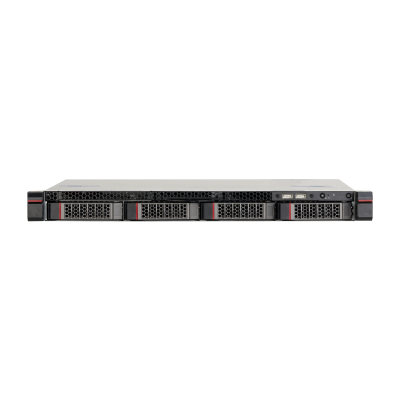
| Main Processor | One Intel Xeon E3-1275 V5, 3.6 GHz, 4 C/8 T |
| Intelligent Card | One AIX3200 intelligent analysis card |
| Operating System | CentOS Linux release 7.4.1708 (Core) |
| Memory | Two 8 GB DDR4 memory, maximum 4 slots |
| Disk | One 2.5" 128 GB SSD and two 3.5" 4 TB HDDs with up to 4 slots. 7.2K RPM SATA 6 Gbps 512N 3.5" |
| Traffic Event Detection |
| Multi-rules Application | Multiple rules can take effect simultaneously |
| Detection Area and Exclusion Area Setting | Supports detection zone and exclusion zone for the server. The server only triggers alarms for events that occur in the detection zone or outside the exclusion zone. Supports up to 1 detection zone and 10 exclusion zones |
| Real-time Display | Displays detection zone rules and the target tracking box in live view. The rule and target tracking boxes flash on screen when an alarm is triggered |
| Parking Detection | Detects when a vehicle moves and then stops for longer than the defined threshold.
1. Intelligent Configuration
• Parking duration. Range: 1 s–600 s, 10 s by default.
• Parking threshold. 3 by default.
• Repeated alarm suppression. Supports: on and off, off by default.
• Detected priority. Supports: on and off, off by default.
• Only takes snapshots of moving vehicles. Supports: on and off, off by default.
• Takes multiple snapshots. Supports: on and off, off by default.
2. Alarm Details
1) Includes: Alarm video, alarm pictures, devices, channels, alarm start time, alarm end time, event name, event type, and plate number.
2) Alarm pictures: 2 pictures, including 1 × parking picture and 1 × picture taken 1 s after the alarm.
3) Picture overlay: Target box, target ID, detection region and target points. |
| Pedestrian Detection | Detects when a pedestrian walks onto the vehicle lane or into an area where pedestrians are prohibited from entering for longer than the defined threshold.
1. Intelligent Configuration
• Shortest duration. Range: 1 s–300 s, 2 s by default.
2. Alarm Details
1) Includes: Alarm video, alarm pictures, devices, channels, alarm start time, event name and event type.
2) Alarm picture: 1 picture of the pedestrian.
3) Picture overlay: Target box, target ID, detection region and target points. |
| Non-motor Vehicle Detection | Detects when a pedestrian walks onto the vehicle lane or into an area where pedestrians are prohibited from entering for longer than the defined threshold.
1. Intelligent Configuration
• Shortest duration. Range: 1 s–300 s, 2 s by default.
2. Alarm Details
1) Includes: Alarm video, alarm pictures, devices, channels, alarm start time, event name and event type.
2) Alarm picture: 1 picture of the pedestrian.
3) Picture overlay: Target box, target ID, detection region and target points. |
| Traffic Jam Detection | Detects when a lane is congested for longer than the defined threshold. Supports reporting on traffic jams based on the lane and region they occur in.
1. Intelligent Configuration
1) Traffic jam on lane settings:
• Lane number
• Line occupancy ratio. Range: 1–100, 50 by default.
• Alarms in intervals. Range: 1–3,600 s, 600 s by default.
• Delay time. Range: 1–300 s, 10 s by default.
• Sensitivity. Range: 1–10, 2 by default.
• Discontinuation time threshold. Range: 1–255 s, 1 s by default.
2) Traffic jam in region settings:
• Region
• Number of vehicles in traffic jam.
• Alarms in intervals. Range: 1–3,600 s, default: 600 s.
• Delay time. Range: 1–300 s, default: 10 s.
• Sensitivity. Range: 1–10, 2 by default.
2. Alarm Details
1) Includes: Alarm pictures with the target box, alarm video, devices, channel, alarm start time, alarm end time, event name, event type, and plate number.
2) Alarm pictures: 3 types of pictures, including 1 × traffic jam picture, alarm pictures taken in intervals and 1 × picture of the end of the traffic jam.
3) Picture overlay:
Traffic jam in lane: Lane; the start and end point of the traffic jam on the lane
Region jam: Detection box |
| Traffic Flow Statistics | Generates statistics on the number of vehicles passing through a road section within a specified time.
1. Counts vehicles that cross the detection line on the lane. Supports counting traffic that is approaching and departing, and not specifying a direction.
2. Statistics Page
1) Displays statistics on: Lanes, traffic flow, small-sized vehicles, passenger vehicles, trucks, average speed, time occupancy ratio, space occupancy ratio, queue length, the distance between 2 vehicles, and the time between 2 vehicles passing the detection line.
2) Displays traffic flow statistics by parameters.
• Flow of approaching traffic, including information on small-sized vehicles, passenger vehicles and trucks.
• Average speed, time occupancy ratio, space occupancy ratio, queue length, the distance between 2 vehicles and the time between 2 vehicles passing the detection line.
• Shows the total traffic flow when there are more than 2 lanes.
3. The traffic flow continues to be accumulated from the last value when an operator is abnormal or the device is restarted.
4. Supports searching for traffic flow by vehicle type, including small-sized vehicle, passenger vehicle and truck.
5. Flow data can be manually cleared, and requires second confirmation. |
| Visibility Detection | Detects when radiation fog appears in the area for longer than the defined threshold.
1. Intelligent Configuration:
1) Shortest duration. Range: 1 s–300 s, 5 s by default.
• Alarms in intervals. Range: 1 s–65,535 s, 300 s by default.
• Alarm threshold. Range: 1–100.
2) Reports on events when the alarm starts, ends, and for the period it exists.
2. Alarm Details
1) Includes: Alarm pictures with the target box, devices, channels, start time, event name, event type, the thickness of the fog, and the time the fog dissipates.
2) Alarm pictures: 3 types of pictures, including 1 × fog picture, alarm pictures taken in intervals and 1 × picture of the dissipation of the fog.
3) Picture overlay: Target box and detection region. |
| Littering Detection | Detects when an object is littered by a pedestrian or a person from a vehicle and the litter disturbs traffic for longer than the defined threshold.
1. Intelligent Configuration
• Duration. Range: 1 s–300 s, 6 s by default.
• Alarms in intervals. Range: 0 s–300 s, 0 s by default.
2. Alarm Details
1) Includes: Alarm pictures with the target box, alarm video, devices, channels, alarm time, event name and event type.
2) Alarm picture: 1 picture of the littered object.
3) Picture overlay: Target box, target ID and detection region. |
| Intrusion Detection | Detects when vehicles enter and remain in an area for longer than the defined threshold.
1. Intelligent Configuration
1) Parameters
• Object: Pedestrian, motor vehicle, non-motor vehicle; motor vehicle by default
• Action list: Appear and cross, cross by default.
2) Sensitivity: Range: 1–10, 3 by default.
2. Alarm Details
1) Includes: Alarm pictures with the target box, devices, channels, event time, event name, event type, and plate number.
2) Alarm picture: 1 picture of the vehicle intrusion.
3) Picture overlay: Target box, target ID, detection region and lane line |
| Illegal Lane Change Detection | Detects when a vehicle crosses the solid yellow or white lane line for longer than the defined threshold.
1. Intelligent Configuration:
• Lane Number
• Sensitivity. Range: 1–10, 10 by default.
2. Alarm Details:
1) Includes: Devices, channels, event time, event name, event type, lane number and plate number.
2) Alarm pictures: 2 pictures, including 1 × picture of the vehicle changing lanes and 1 × picture of the vehicle after it changed the lane.
3) Picture overlay: Target box, target ID, lane line and target point. |
| Wrong-way Driving Detection | Detects when a vehicle is driving in the wrong direction for longer than the defined threshold. Supports reporting on the event based on the lane and region they occur in.
1. Intelligent Configuration:
• Lane number of detection region
• Duration. Range 1 s–300 s, 2s by default.
• Driving distance. Range: 0–1,023,200 by default.
2. Alarm Details
1) Includes: Alarm picture with the target box, devices, channels, event time, event name, event type, lane number and plate number.
2) Alarm pictures: 2 pictures, includiH228:H230ng 1 × picture of the vehicle driving in the wrong direction and 1 × picture taken 1 s after the alarm.
3) Picture overlay: Target box, target ID, detection region and lane line. |
| Illegal Backing Detection | Detects when a vehicle is illegally reversing for longer than the defined threshold. For example, when a vehicle illegally reverses on an expressway intersection.
1. Intelligent Configuration
• Detection region
• Duration. Range 1 s–300 s, 3 s by default.
• Driving distance. Range: 0–1,023. It is 200 by default.
2. Alarm Details
1) Includes: Alarm pictures with the target box, devices, channels, event time, event name, event types and plate number.
2) Alarm pictures: 2 pictures, including 1 × picture of the vehicle illegally reversing and 1 × picture taken 1 s after the alarm.
3) Picture overlay: target box, target ID and detection region |
| Construction Detection | Detects when construction signs are in the area for longer than the defined threshold.
1. Intelligent Configuration
1) Parameters
• Shortest duration. Range: 1 s–300 s, 5 s by default.
• Alarms in intervals. Range: 1 s–65,535 s, 300 s by default.
• Sensitivity. Range: 1–10. It is 5 by default.
• Repeated alarm suppression. Supports on and off, off by default.
2) Reports on events when the alarm starts, ends, and for the period it exists.
2. Alarm Details
1) Includes: Alarm pictures with the target box, devices, channels, start time, end time, event name and event type.
2) Alarm pictures: 3 types of pictures, including 1 × picture of the construction sign, alarm pictures taken in intervals and 1 × picture after the sign has been removed.
3) Picture overlay: Target box, target ID and detection region |
| Obstacle Detection | Detects objects that act as obstacles, such as boxes, in the area for longer than the defined threshold. 1. Intelligent Configuration: 1) Parameters • Shortest duration. Range: 1 s–300 s, 5 s by default. • Alarms in intervals. Range: 1 s–65,535 s, 300 s by default. • Sensitivity. Range: 1–10, 1 by default. • Repeated alarm suppression. Supports on and off, off by default. 2) Reports on events when the alarm starts, ends, and for the period it exists. 2. Alarm Details 1) Includes: Alarm pictures with the target box, devices, channels, start time, time object was removed, event name and event type. 2) Alarm pictures: 3 types of pictures, including 1 × picture of the object acting as an obstacle, alarm pictures taken in intervals and 1 × picture after the object has been removed. 3) Picture overlay: Target box, target ID and detection region |
| Accident Detection | Detects when vehicles collide, and the collision lasts longer than the defined threshold.
1. Intelligent Configuration:
• Alarms in intervals. Range: 1–3,600 s, 600 s by default.
• Parking duration. Range: 1 s–300 s, 5 s by default.
• Duration of pedestrian in area. Range: 1 s–300 s, 3 s by default.
• Vehicle in traffic congestion. Range: 1-300, 14 by default.
2. Alarm Details:
1) Includes: Alarm pictures with the target box, devices, channels, start time, event name and event type.
2) Alarm pictures: 2 pictures, including 1 × picture of the vehicle collision and 1 × picture taken 1 s after the alarm.
3) Picture overlay: Target box and detection region |
| Fire Detection | Detects when a fire breaks out in the area, and lasts longer than the defined threshold. 1. Intelligent Configuration • Shortest duration. Range: 1 s–300 s, 5 s by default. • Sensitivity. Range: 1–10, 5 by default. • Alarms in intervals. Range: 1 s–300 s, 10 s by default. • Overlap threshold. Range: 0–100, 90 by default. 2. Alarm Details: 1 × alarm picture with the target box, devices, channels, event time, event name and event types. |
| Smoke Detection | Detects when smog appears and remains in the area for longer than the defined threshold.
1. Intelligent Configuration:
• Shortest duration. Range: 1 s–300 s, 5 s by default.
• Sensitivity. Range: 1–10, 5 by default.
• Alarms in intervals. Range: 1 s–300 s, 10 s by default.
• Overlap threshold. Range: 0–100, 90 by default.
2. Alarm Details: 1 × Alarm picture with the target box, devices, channels, event time, event name and event type. |
| Crossing Line Detection | Detects when a vehicle crosses the solid yellow or white line for longer than the defined threshold.
1. Intelligent Configuration:
• Lane lines
• Duration. Range: 1 s–300 s, 5 s by default.
• Takes snapshots when a vehicle crosses the solid white line. It is off by default.
• Sensitivity. Range: 1–10, 5 by default.
2. Alarm Details:
1) Includes: Alarm pictures with the target box, devices, channels, event time, event name, event type, lane number and plate number.
2) Alarm pictures: 2 pictures, including 1 × picture of the vehicle crossing the solid line and 1 × picture taken 1 s after the alarm.
3) Picture overlay: Target box, Target ID, Lane line and Target point.
|
| Speeding Detection | Detects when the speed of a vehicle exceeds the defined threshold, and remains above the threshold for longer than the defined time.
1. Intelligent Configuration:
• Lane number
• Maximum speed. Range: 60 km/h–180 km/h. It is 120 km/h by default.
• Shortest duration. Range: 1 s–300 s, 5 s by default.
2. Alarm Details:
1) Includes: Alarm pictures with the target box, devices, channels, event time, event name, event types, lane number, plate number, maximum speed and driving speed.
2) Alarm pictures: 2 pictures, including 1 × vehicle speeding picture and 1 × picture taken 1 s after the alarm.
3) Picture overlay: target box, target ID, and lane line. |
| Driving Too Slow Detection | Detects when the speed of a vehicle falls below the defined threshold, and remains below the threshold for longer than the defined time.
1. Intelligent Configuration:
• Lane number
• Minimum speed. Range: 30 km/h–120 km/h. It is 60 km/h by default.
• Shortest duration. Range: 1 s–10 s, 1 s by default.
2. Alarm Details:
1) Includes: Alarm pictures with the target box, devices, channels, event time, event name, event types, lane number, plate number, maximum speed and driving speed.
2) Alarm pictures: 2 pictures, including 1 × picture of the vehicle driving too slow and 1 × picture taken 1 s after the alarm.
3) Picture overlay: Target box, target ID, and lane line. |
| Detection of Trucks Entering Prohibited Area | Detects when a truck enters the detection zone.
1. Intelligent Configuration:
• Sensitivity. Range: 1–10, 3 by default.
2. Alarm Details:
1) Includes: Alarm pictures with the target box, devices, channels, event time, event name, event type and plate number.
2) Picture overlay: Target box, target ID, lane line and target point. |
| Detection of Hazardous Material Transport Vehicle | Detects when a hazardous material transport vehicle crosses the detection line. 1. Intelligent Configuration: • Sensitivity. Range: 1–10, 3 by default. • Hazardous material transport vehicle. It is tank car by default. 2. Alarm Details: 1) Includes: Alarm pictures with the target box, devices, channels, event time, event name, event type and plate number. 2) Picture overlay: Target box, target ID, lane line and target point.
|
| Detection of Driving in Emergency Lane | Detects when a vehicle enters the emergency lane. 1. Intelligent Configuration: • Sensitivity. Range: 1–10, 3 by default. 2. Alarm Details: 1) Includes: Alarm pictures with the target box, devices, channels, event time, event name, event type and plate number. 2) Picture overlay: Target box, target ID, lane line and target point. |
| Plate Number Recognition | Supports ANPR for parking, illegal lane change, crossing the solid yellow line, wr ong-way driving, and area intrusion. It is recommended that the license plate width is more than 80 pixels |
| Report Generation and Export | Exports alarm information in Excel form, including device, device IP, channel name, event time, event name, event type, lane, license plate number, speed and more |
| Alarm Search | Supports searching for alarm information according to multiple options, such as device, channel, event type, capture time and more |
| Traffic Event Detection Application Scenes |
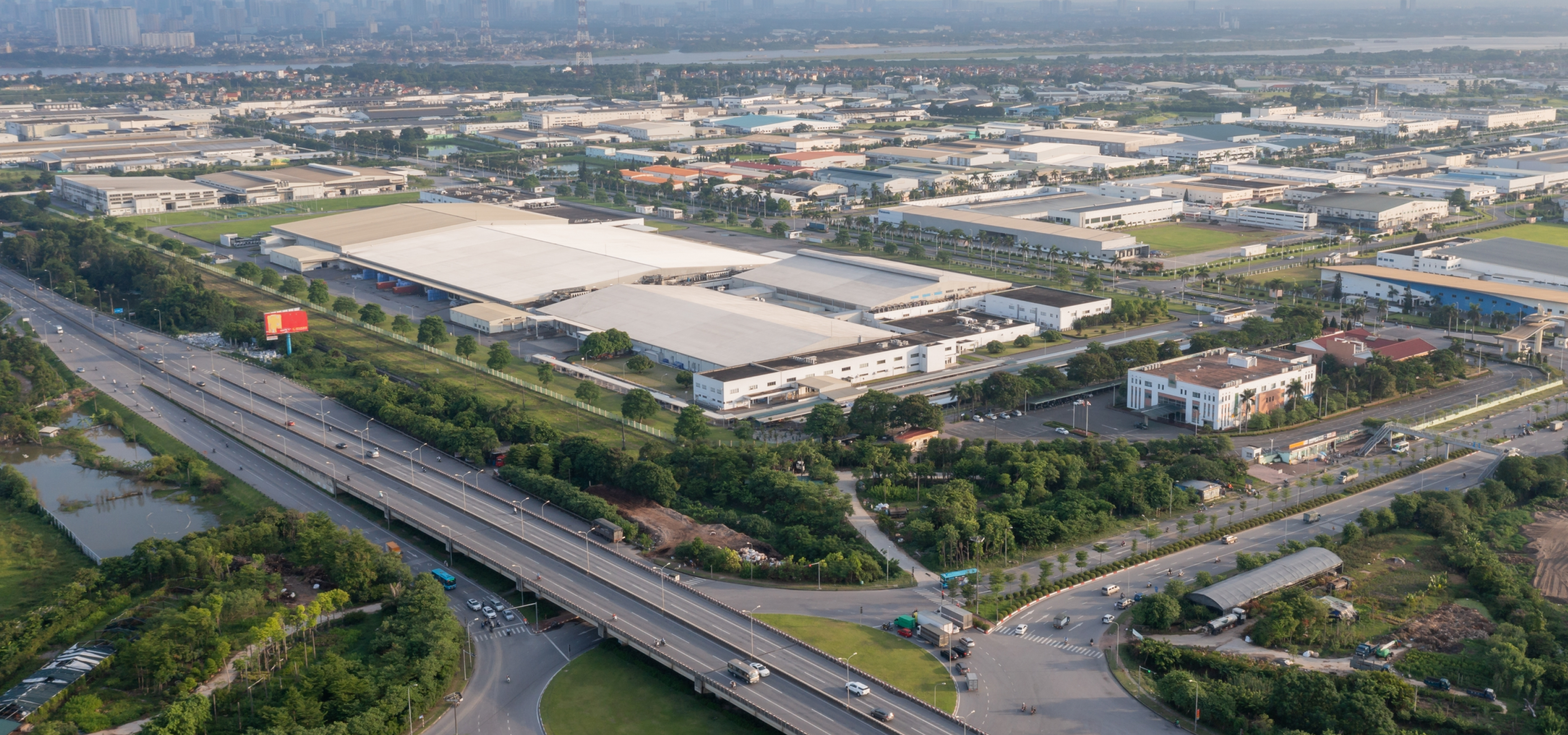
| Scene Attribute | Widely used in traffic management, road operations and maintenance scenarios such as expressways, urban expressways, viaducts, tunnels, and cross-sea bridges |
| Camera Installation | Front installation (recommended) and side installation |
| Camera Installation Height | 6–12 meters recommended, two or three lanes can be captured |
| Camera installation Angle | Recommended pitch angle is between 10°–15°, covering about 50 m–100 m (164.04 ft–328.08 ft) and lane inclination angle < 30° when side-mounted |
| Traffic Event Detection Performance |
| Video Resolution | 1080p or higher |
| Analysis Capability | xE: E refers to intelligent analysis card, and x refers to the number of the card.
A single intelligent analysis card supports simultaneous access analysis of 32 1080P cameras, except for special algorithms. Please see the product overview calculation formula for details |
| Traffic Event Detection Type | Includes parking, pedestrian on vehicle lane, non-motor vehicle, traffic jam, traffic flow statistics, littering, area intrusion, illegal lane change, wrong-way driving, construction, obstacle, traffic accident, fog, smoke, fire, crossing solid line, speeding, driving too slow, truck entering prohibited area, hazardous material transport vehicle and driving in emergency lane. |
| Traffic Parameters | Traffic flow, average speed, time occupancy rate, space occupation rate, space headway, time headway and queue length |
| Parking Detection | According to test data (1080P access), the detection rate is 90%, and the effective rate is 90%. |
| Pedestrian Detection | According to test data (1080P access), the detection rate is 90%, and the effective rate is 90%. |
| Non-motor Vehicle Detection | According to test data (1080P access), the detection rate is 90%, and the effective rate is 90%. |
| Traffic Jam Detection | According to test data (1080P access), the detection rate is 90%, and the effective rate is 90%. |
| Traffic Flow Statistics | According to test data (1080P access), the traffic accuracy rate is over 90%. |
| Visibility Detection | Subject to actual test |
| Littering Detection | According to test data (1080P access), the detection rate is 80%, and the effective rate is 80%. |
| Intrusion Detection | According to test data (1080P access), the detection rate is 90%, and the effective rate is 90%. |
| Illegal Lane Change Detection | According to test data (1080P access), the detection rate is 90%, and the effective rate is 90%. |
| Wrong-way Detection | According to test data (1080P access), the detection rate is 90%, and the effective rate is 90%. |
| Reversing Detection | According to test data (1080P access), the detection rate is 90%, and the effective rate is 90%. |
| Construction Detection | According to test data (1080P access), the detection rate is 90%, and the effective rate is 80%. |
| Barrier Detection | According to test data (1080P access), the detection rate is 90%, and the effective rate is 90%. |
| Traffic Accident Detection | Subject to actual test |
| Fire Detection | Subject to actual test |
| Smoke Detection | Subject to actual test |
| Crossing Line Detection | According to test data (1080P access), the detection rate is 90%, and the effective rate is 90%. |
| Speeding Detection | Subject to actual test |
| Driving Too Slow Detection | Subject to actual test |
| Detection of Trucks Entering Prohibited Area | Subject to actual test |
| Detection of Hazardous Material Transport Vehicle | Subject to actual test |
| Detection of Driving in Emergency Lane | Subject to actual test |
| Global Detection | Up to 20 rules with 16 channels of single card |
| Alarm Video | 1. Max. 192-channel 4 MP cache, each card with 32 channels
2. Up to 32 task video (within 4 MP) can be written to HDDs at the same time. When the limit is exceeded, an error log is printed, showing the reason why the recording was stopped.
3. Supports playing back video of up to 4 channels at the same time. |
| Port |
| Network | 2 × gigabit Ethernet ports |
| USB | 2 front USB 2.0 ports, 2 rear USB 3.0 ports and 2 rear USB 2.0 ports |
| VGA | 1 |
| DVI | 1 |
| DP | 2 |
| General |
| Power Supply Mode | 100 V/240 V, 50Hz /60 Hz, 6 A/3 A |
| Power Redundancy | Single power supply |
| Power Consumption | ≤ 400 W |
| Operating Temperature | +10 °C to +35 °C (+50 °F to +95 °F) |
| Operating Humidity | 10%–80% (RH) (29 °C/84.2 °F) |
| Storage Temperature | +10 °C to +65 °C (+40 °F to +149 °F) |
| Storage Humidity | 5%–95% (RH) (33°C/91.4 °F) |
| Gross Weight | 16.0 kg (35.27 lb) |
| Net Weight | 8.5 kg (60.6 lb) |
| Dimensions | 43.5 mm × 438.5 mm × 550.0 mm (17.13" × 172.64" × 216.54") (H × W × D) |
| Packaging Dimensions | 271.0 mm × 625.0 mm × 895.0 mm (106.69" × 246.06" × 352.36") (H × W × D) |
| Installation | Standard 19" rack installation with guide rail |
| Mean Time Between Failures | 69.6 years |
| Certification | CCC: 2018010911092424
CE: SHEM190801615601ATC/SHEM1908016156AT
FCC: SHEM190801615701ATC/SHEM1908016157AT |
| Filter |
| Product Type | All-in-one server integrated software and hardware |


















.png)























.png)
.png)











.png)