Home
EOL
EOL
Favourite
IVS-TB8000-xE-GU2

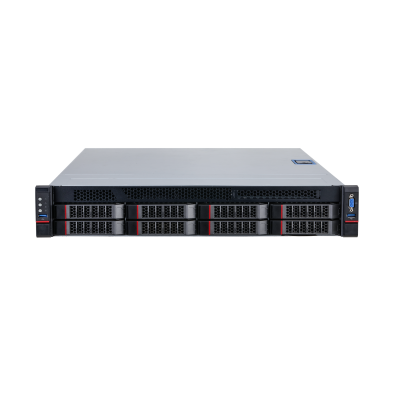
Intelligent Video Analysis Server for Traffic Event Detection

Key Points
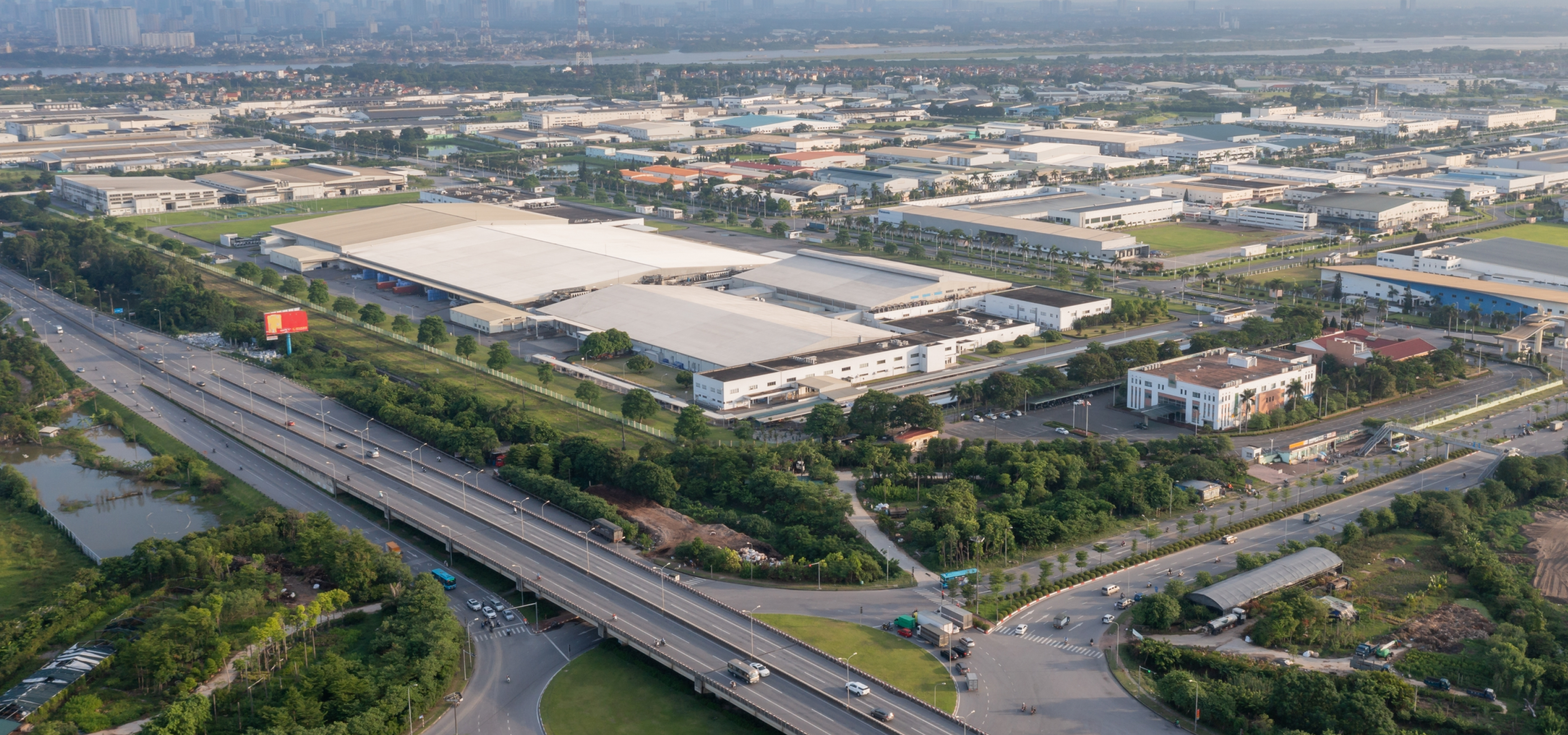
    Dahua Intelligent Analysis Server DH-IVS-TB8000-E is a back-end intelligent video analysis and management device based on server platform. It can detect and analyze traffic-related events and output traffic parameters by acquiring live video from cameras. The main event types include parking, congestion, pedestrians, illegal lane change, crossing solid yellow lines, littering, smoke, fire, speeding, underspeed and intrusion (motor vehicles). Traffic parameters include traffic flow, average speed, time occupancy, space occupancy, space headway, time headway, and queue length. It is the typical application of intelligent traffic management, which are mainly used in traffic management and road operation and maintenance scenarios such as expressways, urban expressways, viaducts, tunnels, and cross-sea bridges.

Specifications

System

Main Processor

Two Intel Xeon extensible processors, 10 C/20 T for each one

Intelligent Card

2–6 AIX3200 intelligent analysis cards

Operating System

CentOS Linux release 7.4.1708 (Core)
RAM

Four 8 GB DDR4 memory, maximum 24 slots

Hard Drive

Two 3.5'' 4 TB disk which can be extended to 32TB (each disk is 4TB), with up to 8 slots
7.2K RPM SATA 6Gbps 512n 3.5''

Traffic Event Detection

Multi-rules Application

Multiple rules can take effect simultaneously

Detection Area and Exclusion Area Setting

Supports detection zone and exclusion zone for the server. The server only triggers alarms for events that occur in the detection zone or outside the exclusion zone. Supports up to 1 detection zone and 10 exclusion zones

Real-time Display

Displays detection zone rules and the target tracking box in live view. The rule and target tracking boxes flash on screen when an alarm is triggered

Parking Detection

1. Detects an event when a vehicle moves and then stops, and the stop time exceeds the defined value
1) Configure parking duration (range: 1–600 seconds, default value: 10)
2) Configure parking threshold (3 by default)
2. Alarm details: Two alarm images (with alarm frame), device, channel, event time, event name, event type, and plate number

Pedestrian Detection

1. Detects an event when a pedestrian walks onto the vehicle lane or into an area where pedestrians are prohibited from entering and the duration exceeds the defined value
1) Configure the shortest duration (range: 1–300 seconds, default value: 3)
2. Alarm details: An alarm image (with alarm frame), device, channel, event time, event name, and event type

Non-motor Vehicle Detection

1. Detects battery-powered two-wheelers and tricycles
1) Configure the shortest duration (range: 1–300 seconds, default value: 3)
2. Alarm details: An alarm image (with alarm frame), device, channel, event time, event name, and event type

Traffic Jam Detection

1. Detects an event when a lane is congested and the duration exceeds the defined value
1) Configure lane, lane occupancy rate (range: 1–100, default value: 50), alarm interval (range: 1–300 seconds, default value: 60), delay time (range: 1–300 seconds, default value: 10) , sensitivity (range 1–10, default value is 2)
2. Alarm details: An alarm image (with alarm frame), device, channel, event time, event name and event type

Traffic Flow Statistics

1. Displays traffic flow statistics in the following order: Lane > traffic flow > small vehicles > medium-sized vehicles > large vehicles > average speed > time occupancy rate > space occupancy rate > spacing > time interval > queuing length
Displays traffic flow statistics by configuration items. The default page is as follows:
1) Lane 1: traffic flow: XX small vehicles XX medium-sized vehicles XX large vehicles XX. Selected by default
● Large vehicles (bus, truck and other large-sized vehicle)
● Medium-sized vehicles (medium/small truck)
● Small vehicles (minibus)
2) Average speed, time occupancy rate, space occupancy rate, spacing, time interval and queuing length are not selected by default
3) If there are more than two lanes, the last line shows the total of all lanes: XX
2. If the operator is abnormal or restarted, traffic flows continue to accumulate with the previous value, rather than starting from 0

Visibility Detection

1. Supports detecting road agglomerate fog
1) Configure the shortest duration (range: 1–300 seconds, default value: 5), repeated alarm time (range: 1–300 seconds), and alarm threshold (range: 1–100)
2. Alarm details: An alarm image (with alarm frame), device, channel, event time, event name, event type and defog intensity

Littering Detection

1. Detects an event when an object is littered by a person in a vehicle or a pedestrian disturbs traffic and the duration exceeds the defined value
1) Configure duration (range: 1–300 seconds, default value: 6) and repeated alarm time (range: 1–300 seconds, default value: 0)
2. Alarm details: An alarm image (with alarm frame), device, channel, event time, event name, and event type

Area Intrusion Detection

1. Detects an event when a motor vehicle enter the detection area
1) Configure detection area
2. Alarm details: An alarm image (with alarm frame), device, channel, event time, event name, event type, and plate number

Illegal Lane Change Detection

1. Detects an event when a vehicle crosses the lane line (yellow or white solid line) and the duration exceeds the defined value
1) Configure lane number, sensitivity (range: 1–10, default value: 10)
2. Alarm details: Two alarm images (with alarm frame), device, channel, event time, event name, event type, lane number, and plate number

Wrong-way Driving Detection

1. Detects an event when a vehicle is moving opposite to the specified direction of the traffic and the duration exceeds the defined value. This is to prevent drivers from crossing lanes while driving.
1) Configure lane number, duration (range: 1–300 seconds, default value: 2)
2. Alarm details: Two alarm images (with alarm frame), device, channel, event time, event name, event type, lane number, and plate number

Reversing Detection

1. Detects events that a vehicle moves wrong way and reverse at a highway intersection
1) Configure detection region, duration (range: 1–300 seconds, default value:3)
2. Alarm details: Two alarm images (with alarm frame), device, channel, event time, event name, event type, and plate number

Construction Detection

1. Detects construction signs that are in an area for longer than the defined value
1) Configure the shortest duration (range: 1–300 seconds, default value: 5), repeated alarm time (range: 1–300 seconds, default value: 60), sensitivity (range: 1-10, default value: 5)
2. Alarm details: An alarm image(with alarm frame), device, channel, event time, event name, and event type

Roadblock Detection

1. Detects roadblocks that are in an area for longer than the defined value
1) Configure the shortest duration (range: 1–300 seconds, default value: 5), repeated alarm time (range: 1–300 seconds, default value: 60), and sensitivity (range: 1–10, default value: 1)
2. Alarm details: An alarm image (with alarm frame), device, channel, event time, event name, and event type

Accident Detection

Detects traffic accidents in an area
1. Configure alarm interval (range 1-600 seconds, default value is 600)
2. Alarm details: An alarm image(with alarm frame), device, channel, event time, event name, and event type

Fire Detection

1. Detects when a fire breaks out in an area and the duration exceeds the defined value
1) Configure the shortest duration (range: 1–300 seconds, default value: 5)
, sensitivity (range: 1–10, default value: 5)
2. Alarm details: An alarm image(with alarm frame), device, channel, event time, event name, and event type

Smoke Detection

1. Detects when smog appears in an area and the duration exceeds the defined value
1) Configure the shortest duration (range 1-300 seconds, default value is 5)
, sensitivity (range 1-10, default value is 5)
2. Alarm details: An alarm image(with alarm frame), device, channel, event time, event name and event type

Crossing Solid Line Detection

1. Detects when a vehicle crosses the lane line
1) Configure lane, duration (range: 0–300, default value: 1), and sensitivity (range: 1–10, default value: 1). Yellow solid line is selected by default, and white solid line can also be selected
2. Alarm details: An alarm image (with alarm frame), device, channel, event time, event name, event type, lane number and plate number

Overspeed Detection

1. Detects when the vehicle speed is higher than the defined value and the vehicle time exceeds the defined value
1) Configure lane, the maximum speed (range: 60–180 km/h, default value: 120), the shortest duration (range: 1–10 seconds, default value: 1)
2. Alarm details: Two alarm images (with alarm frame), device, channel, event time, event name, event type, lane number, plate number, speed limit and speed)

Underspeed Detection

1. Detects when the driving speed is lower than the defined value and the vehicle time exceeds the defined value
1) Configure lane number, the minimum speed (range: 30–120 km/h, default value: 60), the shortest duration (range: 1–10 seconds, default value: 1)
2. Alarm details: Two alarm images (with alarm frame), device, channel, event time, event name, event type, lane number, plate number, min speed and speed)

Plate Number Recognition

Supports ANPR for parking, illegal lane change, crossing the solid yellow line, wrong-way driving, and area intrusion. It is recommended that the license plate width is more than 80 pixels

Report Generation and Export

Exports alarm information in Excel form, including device, device IP, channel name, event time, event name, event type, lane, license plate number, speed and more

Alarm Search

Supports searching for alarm information according to multiple options, such as device, channel, event type, capture time and more

Traffic Event Detection Application Scenes

Scene Attribute

Widely used in traffic management, road operations and maintenance scenarios such as expressways, urban expressways, viaducts, tunnels, and cross-sea bridges

Camera Installation

Front installation (recommended) and side installation

Camera Installation Height

6–12 meters recommended, two or three lanes can be captured

Camera installation Angle

Recommended pitch angle is between 10°–15°, covering about 50 m–100 m (164.04 ft–328.08 ft) and lane inclination angle < 30° when side-mounted

Traffic Event Detection Performance

Video Resolution

1080p or higher

Analysis Capability

xE: E refers to intelligent analysis card, and x refers to the number of the card.
A single intelligent analysis card supports simultaneous access analysis of 32 1080P cameras, except for special algorithms. Please see the product overview calculation formula for details

Traffic Event Detection Type

Includes parking, pedestrian on vehicle lane, non-motor vehicle, traffic jam, traffic flow statistics, littering, area intrusion, illegal lane change, wrong-way driving, reversing, construction, roadblock, traffic accident, agglomerate fog, smoke, fire, crossing solid line, overspeed and underspeed detection

Traffic Parameters

Traffic flow, average speed, time occupancy rate, space occupation rate, space headway, time headway and queue length

Parking Detection

According to test data (1080P access), the detection rate is 90%, and the effective rate is 90%.

Pedestrian Detection

According to test data (1080P access), the detection rate is 90%, and the effective rate is 90%.

Non-motor Vehicle Detection

According to test data (1080P access), the detection rate is 90%, and the effective rate is 90%.

Traffic Jam Detection

According to test data (1080P access), the detection rate is 90%, and the effective rate is 90%.

Traffic Flow Statistics

According to test data (1080P access), the traffic accuracy rate is over 90%.

Visibility Detection

Subject to actual test

Littering Detection

According to test data (1080P access), the detection rate is 80%, and the effective rate is 80%.

Area Intrusion Detection

According to test data (1080P access), the detection rate is 90%, and the effective rate is 90%.

Illegal Lane Change Detection

According to test data (1080P access), the detection rate is 90%, and the effective rate is 90%.

Wrong-way Detection

According to test data (1080P access), the detection rate is 90%, and the effective rate is 90%.

Reversing Detection

According to test data (1080P access), the detection rate is 90%, and the effective rate is 90%.

Construction Detection

According to test data (1080P access), the detection rate is 90%, and the effective rate is 80%.

Roadblock Detection

According to test data (1080P access), the detection rate is 90%, and the effective rate is 90%.

Traffic Accident Detection

Subject to actual test

Fire Detection

Subject to actual test

Smoke Detection

Subject to actual test

Line Crossing Detection

According to test data (1080P access), the detection rate is 90%, and the effective rate is 90%.

Overspeed Detection

Subject to actual test

Underspeed Detection

Subject to actual test

Port

Network

2 × 10,000/1,000 Mbps gigabit Ethernet ports

USB

2 front USB3.0 ports and 3 rear USB3.0 ports

VGA

2

DVI

1

PCIe

8 × standard PCI e

Other Port

1 RJ-45 management network port

General

Power Supply Mode

100 V-127 V/200 V-240 V~, 50 Hz/60 Hz, 10 A/5 A

Power Redundancy

Dual power redundancy

Power Consumption

≤ 800 W

Operating Temperature

+10 °C to +35 °C (+50 °F to +95 °F)

Operating Humidity

35%–80% (RH), the maximum relative humidity during operation is 90% RH (+40 °C).

Storage Temperature

–40 °C to +60 °C (–40 °F to +140 °F)

Storage Humidity

20%–93% (RH)

Gross Weight

35.0 kg (77.16 lb)

Net Weight

27.5 kg (60.62 lb)

Dimensions

87.0 mm × 438.0 mm × 735.0 mm (3.43" × 17.24" × 28.94" ) (H × W × D)

Packaging Dimensions

273.0 mm × 754.0 mm × 1069.0 mm (10.75" × 29.68" × 42.08'') (H × W × D)

Installation

Standard 19" rack installation with guide rail

Mean Time Between Failures

69.6 years

Certification

CCC: 2019010911224727
CE: SHEM190901702201ATC/SHEM1909017022AT
FCC: SHEM190901702301ATC/SHEM1909017023AT

Filter

Product Type

All-in-one server integrating software and hardware

Type

Model

Description

Dahua 2U Intelligent Video Analysis Server for Traffic Event Detection

DHI-IVS-TB8000-2E-GU2

Dahua 2U Intelligent Video Analysis Server for Traffic Event Detection

DHI-IVS-TB8000-3E-GU2

Dahua 2U Intelligent Video Analysis Server for Traffic Event Detection

DHI-IVS-TB8000-4E-GU2

Dahua 2U Intelligent Video Analysis Server for Traffic Event Detection

DHI-IVS-TB8000-5E-GU2

Dahua 2U Intelligent Video Analysis Server for Traffic Event Detection

DHI-IVS-TB8000-6E-GU2

Dahua 2U Intelligent Video Analysis Server for Traffic Event Detection

* Limited to a maximum of 4 products
Reset
Compare

Document Info

  • Software Name
  • Software Size
  • Supported Models
  • MD5
  • SHA256
Release Notes Download

DAHUA SOFTWARE LICENSE AGREEMENT

DAHUA SOFTWARE LICENSE AGREEMENT
1. PREAMBLE
IMPORTANT NOTICE, PLEASE READ CAREFULLY: 1.1 This Agreement is a Software License Agreement between you and Zhejiang Dahua Technology Co.,Ltd. (hereinafter referred to as “Dahua”). Please read this software license agreement (Agreement) carefully before using the Software. By using Dahua Software, you are deemed to agree to be bound by the terms of this Agreement. If you do not agree to the terms of this Agreement, please do not install or use the Software, and click the “disagree” button(If there is any provision for "agree" or "disagree"). If the Software you get is purchased as part of Dahua device, and you do not agree to the terms of this Agreement, you may return this device/Software within the return period to Dahua or authorized distributor where you purchased from for a refund, but it should be subject to the Dahua’s return policy.

2. DEFINITIONS
“Software” refers to information processing program(s) or supporting file(s) consisting of a number of modules or functions. Supporting file(s) includes all or part of the Software source codes, object codes, and the images, photographs, icons, animations, audio, video, music, words and codes incorporated therein. It also includes all relevant paper or electronic information and technical documentation which describe the functions, characteristics, contents, quality, tests, customer manuals, user agreements, etc. (hereinafter referred to as “Software Products” or “Software”). 
“You” refers to natural person or legal entity that has obtained the right to use the Software under the license of Dahua. Legal entities include company, enterprise, institution, organization or work unit.
“Probation period” refers to a specific period before the official registration in which Dahua authorizes the internal use of users for evaluation purpose.

3. SOFTWARE LICENSE
Subject to your compliance with this Agreement, you are granted non-exclusive license including: 1) Probation license You are granted to install the software on a single device controlled by you and use all the functions provided for evaluation purpose for free.
2) Commercial license a) Right of installation and use: You are granted to install and use the software on a single device you control, and use all the functions provided thereby. b) Back-up: You are granted to reproduce materials for archival purpose. Unless otherwise stated in this Agreement, you may not be permitted to copy the software or printed materials or electronic documentations accompanying for any other purposes and by any other means.

4. PERMITTED LICENSE USES AND RESTRICTIONS
1) Restrictions on single use This Agreement does not allow the software to exist on more than one device at a time, unless otherwise agreed by both parties.
2) Restrictions on software sharing You may not use part or all of the software on multiple devices by sharing all or part of the Software.
3) Restrictions on software decomposition You can not use different functionalities on different devices or embed different parts of the Software into other software system by decomposing the Software.
4) Restrictions on integrity preserving You can not remove any copyright statement or notice in the Software, nor smear, modify or delete any trademarks or logos appearing in the Software.
5) Restrictions on reverse engineering, decompile and disassemble You can not reverse engineer, decompile or disassemble the Software.
6) Abidance by the law: You agree to use the Software and/or the Services in compliance with all applicable laws, including local laws of the country or region in which you reside or in which you download or use the Software and Services. Functions and services of the Software may not be available in all languages in all regions. Internet connection is required for some functions of the Software and Services.
7) Confidentiality restriction: You may not disclose the performance of the software, or any other assessment, test results, technical secrets or any such confidential information derived from the Software to any third party without the written consent of Dahua
8) Automatic updates The software will periodically check with Dahua for updates. The update will automatically download and install onto your device, if one is available. It is deemed to accept the automatic download and installation onto your device once you used the Dahua software. You can turn off the automatic updates at any time by changing the Automatic updates settings.

5. DECLARATION ON INTELLECTUAL PROPERTY
1) The Software is developed by Dahua. Dahua reserves all the lawful rights of the software which are not expressly granted to you .
2) The Software is protected by laws of the People’s Republic of China. Pursuant to this Agreement, You are only granted a nonexclusive license to use the Software, but not sell or transfer of the Software.
3) Trademark: This Agreement does not grant to you any right related to any trademark(s) or service mark(s) of Dahua or its supplier(s).
4) All intellectual property rights involved in the Software, including but not limited to patents, copyrights, trademarks, trade secrets and technical secrets, remain vested with their respective owners. Dahua reserves the right to profit from its intellectual properties. Furthermore, for any contents not contained in the Software but can be accessed by using the Software, its title and intellectual property rights remain vested with their respective owners and may be protected by applicable copyrights or other intellectual property laws and treaties.
5)You further acknowledge and agree that all intellectual property rights regarding any improvements, modifications or adjustment to the software, arising directly or indirectly by using the software, shall vest in Dahua.

6. TECHNICAL SUPPORT
For any queries or problems arising in the Software installation and use, please contact Dahua for a prompt solution.

7. Transfer
If the Dahua Software you obtained is preinstalled on Dahua device , You may make a one-time permanent transfer of all of your license rights (in its original form) to a third party, provided that: (i) the Software transfer must be accompanied by your Dahua device; (ii) the transfer must include all of the Dahua Software, including all its component parts, printed materials and this Agreement; (iii) you can not retain any copies of the Software, including copies stored on the computer or other storage device; (iv) the party receiving the Software agrees to accept the terms and conditions of this Agreement. An updated version of Dahua Software is deemed to be part of Dahua Software, and can not be transferred separately from the previous version.

8. DISCLAIMER OF WARRANTIES
8.1 You are responsible for the risks resulting from accessing to internet, including but not limited to, cyber-attacks, hacker attacks, computer virus and etc. Please protect your network, data and personal information by taking necessary actions, including but not limited to modifying the factory default password and using a strong password, periodically changing the password, updating the firmware to the latest version, and so on. Dahua do not bear any responsibility for any dysfunction, information leakage or other problems.
8.2 If you are a consumer client (using the Software outside of your trade, business or profession), you may have legal rights in your country of residence which would prohibit the following limitations from applying to you, and if prohibited they will not apply to you. To find out more about rights, you should contact local consumer consulting organizations.
8.2.1 You expressly acknowledge and agree that, to the extent permitted by applicable laws, the use of the Software and any Service performed by or accessed through the Software is at your sole risk and that the entire risk as to satisfactory quality, performance, accuracy and effort is with you.
8.2.2 To the maximum extent permitted by applicable laws, the Software and Services are provided “as is” and “as available”, with all faults and without warranty of any kind, and Dahua hereby disclaim all warranty and conditions with respect to the software and services, either express, implied or statutory, including, but not limited to, the implied warranties and/or conditions of merchantability, satisfactory quality, fitness for a particular purpose, accuracy, quiet enjoyment, and not-infringement of third party’ rights.
8.2.3 Dahua does not warrant against interference with your enjoyment of the Software and Services, that the functions contained in, or services performed or provided by the Software will meet your requirements, that the operation of the Software and Services will be uninterrupted and error-free, that any Service will continue to be made available, that defects in the Software or Services will be corrected, or that the Software will be compatible or work with any third party software, applications or third party services.
8.2.4 No oral or written information or advice given by Dahua or an authorized representative of Dahua shall create a warranty. Should the Software or services prove defective, you assume the entire cost of all necessary servicing, repair or correction. Some jurisdictions do not allow the exclusion of implied warranties or limitations on applicable statutory rights of a consumer, so the above exclusion and limitations may not apply to you.
8.3 If you obtain this software from a method other than Dahua's official path, Dahua does not recognize the software as the official version, cannot guarantee that the software can be used normally, and is not responsible for any loss caused by it. 

9. LIMITATION OF LIABILITY
To the extent not prohibited by applicable laws, in no event shall Dahua, its affiliates, agents or principals be liable for personal injury, or any incidental, special, indirect or consequential damages whatsoever, including, without limitation, damages for loss or profits, corruption or loss of data, failure to transmit or receive any data, business interruption or any other commercial damages or losses, arising out of or related to your use or inability to use the Software and Services. Some jurisdictions do not allow the exclusion or extension of limitation of liability for personal injury, or of incidental or consequential damages, so this limitation my not apply to you. In no event shall Dahua’s total liability to you for all damages (other than may be required by applicable laws in cases involving personal injury) exceed the amount of money you spent on device. The forgoing limitations will apply even if the above stated remedy fails of its essential purpose.

10. TERMINATION
This Agreement is effective until terminated. Your rights under this Agreement will terminate automatically or otherwise cease to be effective without notice from Dahua if you fail to comply with any term(s) of this Agreement. Upon the termination of this Agreement, you shall cease the use of the Software, delete all contents that have been copied or installed on devices and backup copy(s). Section 1.2,8,9,12,13 of this Agreement shall survive any such termination. You should be liable for any loss arising from your breach of the provisions of this Agreement to Dahua.

11. EXPORT CONTROL
You must comply with the national exportation/importation laws, as well as the end-users, end-use, and destinations restrictions applicable to the Software. Without the prior approval or permission of the necessary government authority, you may not export or re-export the Software, directly or indirectly, to any countries/regions that is subject to export restrictions. This obligation shall survive the termination of this Agreement.

12. CONTROLLING LAW AND SEVERABILITY 
The interpretation, validity and dispute settlement of this Agreement shall be governed by the laws of the People’s Republic of China. If a court of judicial jurisdiction finds any provision, or portion thereof, to be unacceptable, the remainder of this Agreement shall continue in full force and effect. Any disputes arising out of or in connection with this Agreement, the parties shall agree to submit to the People’s Court where the jurisdiction of Dahua is settled. 

13. COMPLETE AGREEMENT; GOVERNING LANGUAGE
This Agreement includes the terms of the Agreement, other agreements expressly invoked in this Agreement, the various rules that may have been issued or may be issued in the future by Dahua, which are integral parts of this Agreement and shall have the same legal effect as it. Unless otherwise stated expressly, users who use the Dahua software are subject to this Agreement. No amendment to or modification of this Agreement will be binding unless in writing and signed by Dahua. Any translation of this Agreement is done for local requirements. In the event of a dispute between the Chinese and any non-Chinese versions, the Chinese version of this Agreement shall govern, to the extent not prohibited by local law in your jurisdiction.

14. OTHERS
This Agreement may be updated by Dahua at any time, and the updated terms of the Agreement shall take the place of the terms of the original Agreement once published in Dahua’s official website. If you do not accept the revised term(s), please stop using the software immediately. Your continued use of the Software will be deemed to have accepted the updated agreement.

Confirm